
Running a successful blog involves much more than writing articles. Bloggers must research keywords, plan content, create briefs, manage deadlines, optimize posts for search engines, publish content, promote articles on social media, and track performance.
When you manage several articles, websites, or freelance projects simultaneously, keeping everything organized can become challenging.
The best project management software for bloggers helps you bring these activities together in one workspace.
You can create an editorial calendar, organize blog post ideas, assign writing tasks, monitor publishing deadlines, and build a repeatable content production workflow.
Tools such as ClickUp, Trello, Notion, Asana, and monday.com offer different approaches to project management.
Some provide comprehensive task management and automation, while others focus on visual boards, flexible databases, or simple to-do lists. Several also offer free plans that can be useful for beginner bloggers and solo content creators.
In this guide, we compare the best project management tools for bloggers based on their content planning features, ease of use, collaboration options, free-plan limitations, and suitability for different blogging workflows.
You’ll also learn how to choose the right tool for your website and organize your entire content production process.
Quick Picks: Best Project Management Tools for Bloggers
If you want a quick recommendation, start with this comparison.
| Software | Best For | Key Strength | Free Plan |
|---|---|---|---|
| ClickUp | All-in-one blog management | Tasks, documents, views, and workflows | Yes |
| Trello | Simple editorial calendars | Visual Kanban boards | Yes |
| Notion | Content planning and documentation | Flexible databases and notes | Yes |
| Asana | Blogging teams and agencies | Task ownership and project tracking | Yes |
| monday.com | Visual content workflows | Customizable boards and dashboards | Yes |
| Airtable | Large content databases | Structured records and flexible views | Yes |
| Todoist | Personal blogging tasks | Simple task lists and reminders | Yes |
Our top recommendation: ClickUp is a strong starting point for bloggers who want task management, content planning, documents, and multiple project views in one place.
Trello is a simpler choice for bloggers who prefer a visual editorial calendar, while Notion is especially useful for combining content plans, research notes, and documentation.
How We Selected the Best Project Management Software for Bloggers
The best tool for a blogger is not necessarily the one with the most features. It should make your publishing workflow easier without adding unnecessary administration.
We evaluated these tools using criteria that matter to bloggers, freelance writers, SEO professionals, and content marketing teams.
- Content planning: Can you collect blog post ideas, organize topics, and maintain a content calendar?
- Task management: Can you break an article into research, outlining, writing, editing, SEO, and publishing tasks?
- Editorial calendar: Can you track planned, in-progress, scheduled, and published articles?
- Ease of use: Can a solo blogger start using the software without spending days configuring it?
- Collaboration: Can editors, writers, virtual assistants, and SEO specialists work together?
- Documentation: Can you store content briefs, research notes, checklists, and standard operating procedures?
- Integrations: Can the tool connect with the apps and services you already use?
- Free-plan value: Can you manage a useful blogging workflow without immediately paying for a subscription?
- Scalability: Can the software support additional websites, writers, and projects as your blog grows?
Our recommendations reflect the tools’ intended use cases and publicly listed plan features. Ratings are editorial assessments for blogging workflows, not scores published by the software companies.
Pricing and plan limits can change, so check the provider’s current pricing page before subscribing.
A well-organized editorial calendar works best when it supports a broader plan, so learn how to develop a content marketing strategy for your blog.
Best Project Management Tools for Bloggers Compared
Choosing the right project management software can help you organize blog post ideas, manage editorial calendars, track writing deadlines, and streamline your content workflow.
We’ve selected seven tools for different blogging needs, from simple task management to complete content planning and team collaboration.
Let’s explore their key features, pricing, pros and cons, and find the best option for your blog.
1. ClickUp
Best Overall Project Management Software for Bloggers
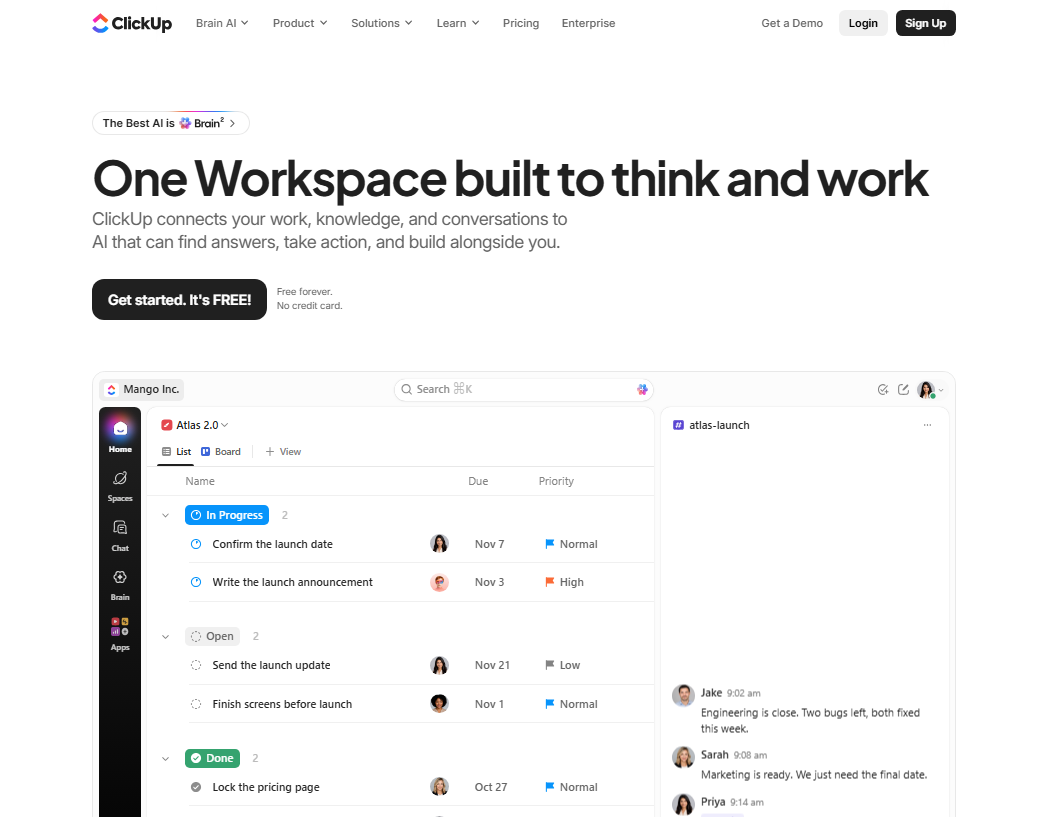
ClickUp is an all-in-one work management platform that combines tasks, documents, project views, collaboration, and workflow management. It is a strong option for bloggers who want to manage the complete content production process instead of using separate applications for every activity.
You can create a project for each website, organize articles into lists, assign deadlines, write content briefs, and track posts through different production stages. Its flexibility makes it useful for solo bloggers, affiliate marketers, freelance writers, and teams managing multiple websites.
Why Bloggers Should Choose ClickUp
Blogging involves many connected tasks. A single article may require keyword research, competitor analysis, outlining, writing, editing, image creation, on-page SEO, internal linking, publishing, and promotion.
ClickUp allows you to represent these activities as tasks and subtasks. You can assign work to different people, add due dates, store supporting documents, and change the way you view your projects.
For example, you could create a content project called BloggingDen Editorial Calendar and organize articles by publishing month or topic cluster. Each article could have subtasks for keyword research, writing, editing, and publication.
Before adding topics to your editorial calendar, learn how to do keyword research for SEO so you can prioritize relevant search queries.
ClickUp is particularly useful when you need a more detailed workflow than a basic to-do list. However, its extensive feature set may take time to configure.
Key Features
- Create projects, tasks, and subtasks for individual blog posts.
- Organize work using List and Kanban-style Board views.
- Use Calendar views to monitor publishing deadlines.
- Create and maintain content briefs with collaborative Docs.
- Assign tasks to writers, editors, and other team members.
- Add priorities, due dates, comments, and task dependencies where supported.
- Track multiple websites and content projects in one workspace.
- Use integrations and automation features according to your plan.
- Explore AI features, subject to the current plan and usage limits.
Pricing
| Plan | Listed Price | Best For |
|---|---|---|
| Free Forever | $0 | Solo bloggers and beginners |
| Unlimited | $7 per user/month, billed yearly | Bloggers who need more storage and features |
| Business | $12 per user/month, billed yearly | Growing content teams |
| Enterprise | Custom pricing | Larger organizations |
The Free Forever plan includes unlimited tasks and free-plan members, collaborative Docs, Kanban boards, a calendar view, and 60 MB of storage. Some features have usage limits, and advanced AI capabilities may require a trial or additional subscription.
Pros
- Combines task management, documents, and project views.
- Useful for detailed editorial workflows.
- Supports multiple websites and content projects.
- Offers a free plan with unlimited tasks.
- Can accommodate growing blogging teams.
Cons
- The interface may feel complicated to beginners.
- The free plan has limited storage.
- Advanced features and AI capabilities may require payment.
- Initial setup can take time.
Who Should Use It: Bloggers managing multiple websites, affiliate publishers, SEO content teams, freelance writers, and agencies.
Who Should Avoid It: Bloggers who only need a simple list of tasks and prefer a minimal interface.
Final Verdict: ClickUp is our top overall recommendation for bloggers who want a central workspace for content planning, writing tasks, editorial deadlines, and team collaboration.
Ready to Organize Your Blog with ClickUp?
Manage content ideas, writing tasks, editorial deadlines, and team projects in one workspace. Start with the free plan and upgrade only when you need more features.
2. Trello
Best for Simple Editorial Calendars
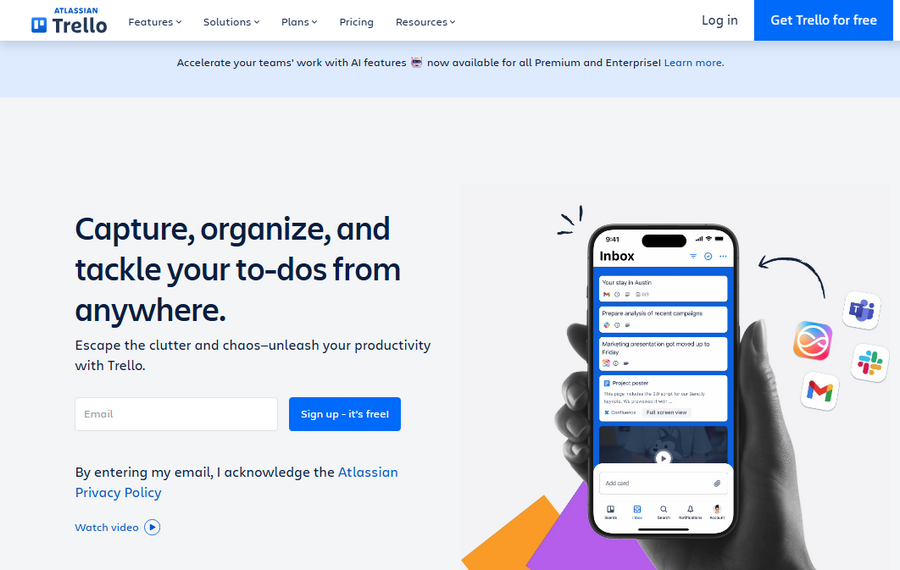
Trello is a visual project management tool built around boards, lists, and cards. Its straightforward design makes it a practical choice for bloggers who want to see the status of every article without learning a complicated project management system.
You can create a board for your blog and add lists such as Ideas, Keyword Research, Ready to Write, In Progress, Editing, Scheduled, and Published. Each blog post becomes a card that moves from one stage to another as work progresses.
Why Bloggers Should Choose Trello
Trello works particularly well for editorial calendars because the board structure makes a content workflow easy to understand. You can see which articles are waiting for research, which are being written, and which are ready for publication.
For a solo blogger, a simple board may be enough to manage an entire month of content. A small team can use cards to assign writers, attach reference documents, add checklists, and discuss changes.
Trello is less suited to complex reporting or highly structured content databases unless you supplement it with integrations or additional tools.
Key Features
- Organize articles using visual boards, lists, and cards.
- Create a separate card for each blog post.
- Add checklists for research, writing, editing, and publishing.
- Set due dates and assign card members.
- Attach documents, images, and reference materials.
- Use labels to organize content by category, priority, or status.
- Add Power-Ups and integrations where appropriate.
- Automate selected routine actions within plan limits.
Pricing
| Plan | Listed Price | Best For |
|---|---|---|
| Free | $0 | Solo bloggers and small projects |
| Standard | $5 per user/month, billed yearly | Bloggers needing more advanced boards |
| Premium | $10 per user/month, billed yearly | Teams requiring additional views and planning features |
| Enterprise | Varies | Larger organizations |
The Free plan currently supports up to 10 open boards and 10 collaborators per workspace, unlimited cards, a 10 MB attachment limit per file, and 250 automation runs per month. Confirm the current plan details before relying on these limits for a team workflow.
Pros
- Easy to learn and use.
- Excellent for visual editorial calendars.
- Makes article status easy to understand.
- Useful for solo bloggers and small teams.
- Offers a free plan for basic project management.
Cons
- Complex projects can become difficult to manage across many boards.
- Advanced reporting may require other tools or paid features.
- Large content databases may be easier to manage in Airtable or Notion.
- Individual cards may need additional structure for complex workflows.
Who Should Use It: Beginner bloggers, niche website owners, freelance writers, and small content teams.
Who Should Avoid It: Agencies that need detailed reporting, advanced resource management, or extensive cross-project dependencies.
Ready to Organize Your Blog with Trello?
Organize blog post ideas, move articles through your publishing workflow, and track deadlines using simple visual boards.
3. Notion
Best for Content Planning and Documentation
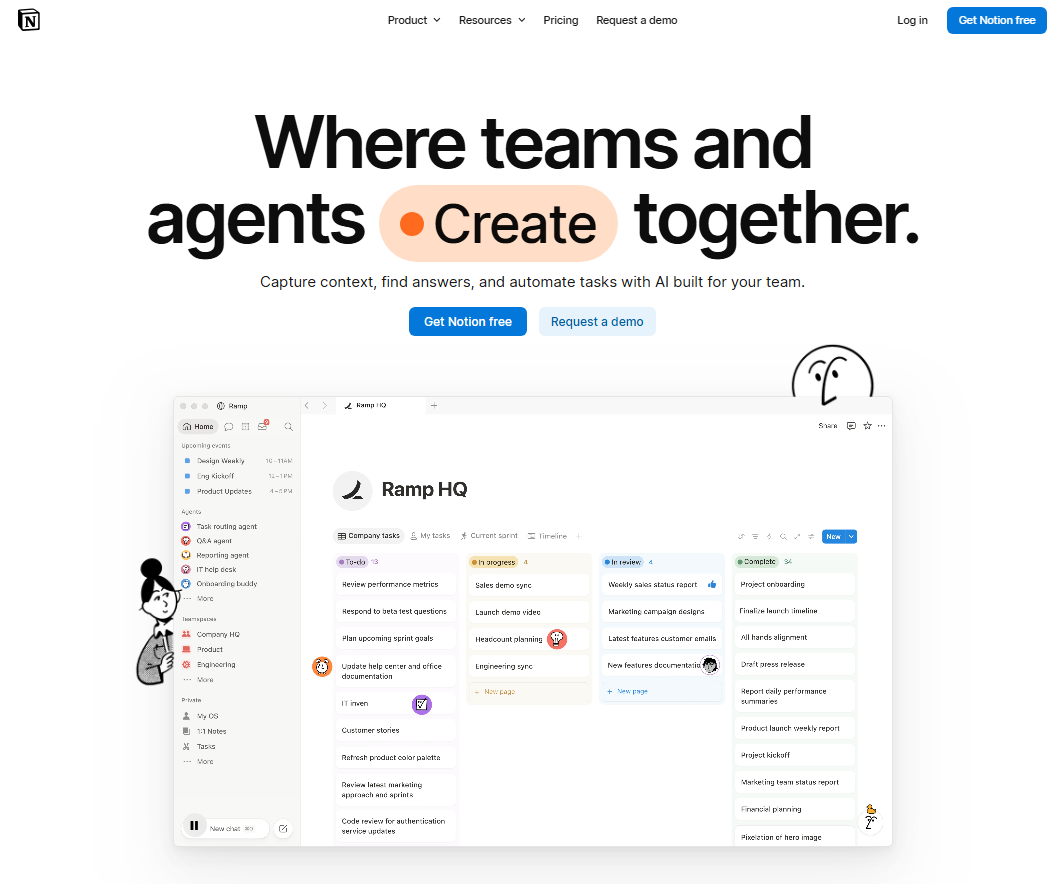
Notion combines notes, documents, databases, and project planning in a flexible workspace. Bloggers can use it to store keyword research, content briefs, article outlines, editorial calendars, standard operating procedures, and publishing checklists.
Instead of managing content information in several disconnected documents, you can build a central content hub and connect related information through databases.
Why Bloggers Should Choose Notion
Notion is particularly useful when your blogging process depends on research and documentation. You might maintain a database of blog posts with properties for primary keyword, search intent, content category, author, status, target publishing date, and published URL.
You can then view the same database as a table, board, or calendar, depending on what you need. Individual records can contain detailed briefs, research notes, internal-linking ideas, and article checklists.
Notion offers considerable flexibility, but it may require some setup to create a consistent workflow. It is also important to distinguish between organizing content in Notion and publishing directly to WordPress; a separate publishing step or integration may be needed.
Key Features
- Create editorial calendars using database views.
- Store keyword research and competitor analysis.
- Build reusable article brief and content outline templates.
- Organize tasks, deadlines, and article statuses.
- Connect related topics, posts, and content clusters.
- Maintain blogging checklists and standard operating procedures.
- Share documents and collaborate with writers or editors.
- Use Notion AI features where available under the current plan.
Pricing
| Plan | Listed Price | Best For |
|---|---|---|
| Free | $0 | Individual bloggers |
| Plus | $10 per member/month | Small teams and professionals |
| Business | $20 per member/month | Teams needing additional collaboration and administration |
| Enterprise | Custom pricing | Larger organizations |
The Free plan includes databases and basic project organization. File uploads on the Free plan are limited to 5 MB per file, and some collaboration features have limits. Notion AI is available on a trial basis under the current plan structure, so check the pricing page before depending on specific AI features.
Pros
- Excellent for combining notes, briefs, and content databases.
- Flexible templates for repeatable blogging tasks.
- Useful for organizing keyword research and topic clusters.
- Supports different views of the same content database.
- Can serve as a central knowledge base for a blog.
Cons
- Requires setup to build a useful editorial workflow.
- Can become disorganized without consistent database rules.
- File-upload and collaboration limits may affect some users.
- WordPress publishing may require a separate workflow or integration.
Who Should Use It: Bloggers who prioritize research, content documentation, knowledge management, and editorial planning.
Who Should Avoid It: Users who want a ready-made project management workflow with minimal configuration.
Build Your Blogging Content Hub with Notion
Keep your editorial calendar, keyword research, article briefs, notes, and content planning documents organized in one flexible workspace.
4. Asana
Best for Blogging Teams and Content Agencies

Asana is a project management platform designed to help teams organize tasks, assign responsibilities, and monitor project progress. It is useful when your blog relies on multiple contributors and articles must pass through several stages before publication.
You can create projects for content campaigns, assign individual tasks to writers and editors, and set deadlines for each stage of production. This helps prevent confusion about who is responsible for an article and what needs to happen next.
Why Bloggers Should Choose Asana
Asana is particularly valuable when content production involves clear responsibilities. For example, an agency might assign keyword research to an SEO specialist, drafting to a writer, editing to an editor, and final publication to a WordPress manager.
Project views help teams organize work, while status updates and task details keep relevant information connected to the project. Asana is a good fit for teams that need accountability rather than just a place to store article ideas.
Its free Personal plan is designed for one or two users, so a larger team should check the paid plans and available features before committing.
Key Features
- Organize content projects and campaign tasks.
- Assign article production tasks to team members.
- Set deadlines and monitor progress.
- Use List, Board, and Calendar views on the free plan.
- Track status updates and task discussions.
- Connect projects to supporting integrations.
- Use Timeline, Gantt, reporting, and automation features on eligible paid plans.
- Create repeatable project templates where supported.
Pricing
| Plan | Listed Price | Best For |
|---|---|---|
| Personal | $0 | Individuals and teams of up to two users |
| Starter | $10.99 per user/month, billed yearly | Growing content teams |
| Advanced | $24.99 per user/month, billed yearly | Teams needing advanced planning and reporting |
| Enterprise | Custom pricing | Larger organizations |
Asana’s free Personal plan includes unlimited tasks and projects, List, Board, and Calendar views, and file storage with a 100 MB per-file limit. Paid plans add features such as Timeline and Gantt views, reporting, and more advanced workflow controls. Check the current plan page for eligibility and regional pricing.
Pros
- Clear task ownership and deadlines.
- Useful for teams with multi-step editorial workflows.
- Supports collaboration across writers and editors.
- Free plan covers basic project management for small groups.
- Paid plans provide more advanced scheduling and reporting.
Cons
- The free plan is limited to two users.
- Costs can increase as the team grows.
- Some advanced planning features require a paid plan.
- May be more than a solo blogger needs.
Who Should Use It: Content agencies, publishers, editorial teams, and bloggers who work with several freelancers.
Who Should Avoid It: Solo bloggers who need only a basic editorial calendar and do not require team coordination.
Manage Your Content Team with Asana
Assign writing tasks, coordinate editors, set publishing deadlines, and monitor the progress of your content projects.
5. monday.com
Best for Visual Content Workflows
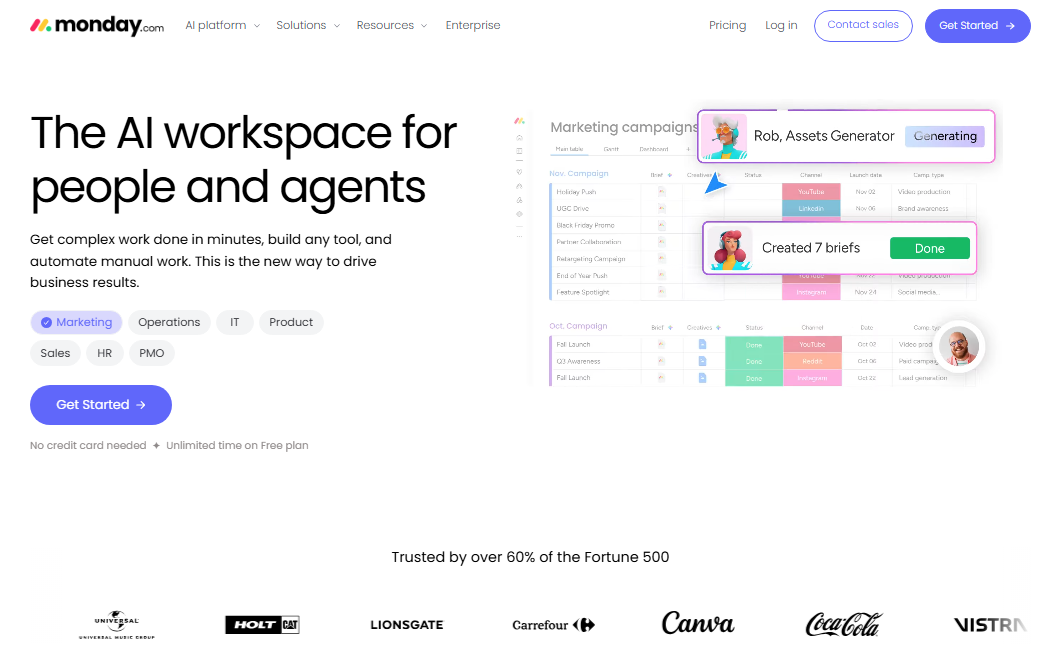
monday.com is a visual work management platform that allows users to organize projects with customizable boards, columns, and views. Bloggers can use it to build a content production system that reflects their own publishing process.
For example, you could create columns for article title, target keyword, category, writer, priority, publishing date, status, and published URL. Different board views can help you monitor deadlines and see where work is getting delayed.
Why Bloggers Should Choose monday.com
monday.com is useful when you want a visual dashboard that summarizes the status of your content operation. It can help you coordinate a blog redesign, affiliate marketing campaign, seasonal content plan, or multi-author editorial calendar.
Its customizable structure makes it possible to track more than article status. You can also manage content briefs, promotional campaigns, website maintenance, and recurring publishing tasks.
The main limitation is that the free plan is small. Before building your entire operation around monday.com, check the available seats, boards, and features against your requirements.
Key Features
- Build visual boards for content projects.
- Track article status, owners, and publishing deadlines.
- Create reusable templates for repeatable workflows.
- Organize work with customizable columns.
- Maintain basic collaborative documents.
- Use dashboards and advanced views where included in your plan.
- Connect external tools through supported integrations.
- Explore automation and AI features on eligible paid plans.
Pricing
| Plan | Listed Price | Best For |
|---|---|---|
| Free | $0 | Small personal workflows |
| Basic | $9 per seat/month, billed yearly | Users needing additional board features |
| Standard | $12 per seat/month, billed yearly | Teams needing timeline views and integrations |
| Pro | $20 per seat/month, billed yearly | Teams requiring more advanced workflow tools |
| Enterprise | Custom pricing | Larger organizations |
The Free plan currently includes up to two seats, three boards, three Docs, more than 200 templates, and eight column types. Paid plans offer additional capabilities. Pricing can depend on the number of seats and billing cycle, so review the current plan page before purchasing.
Pros
- Flexible and visual project organization.
- Customizable content tracking.
- Useful for coordinating campaigns and multiple workflows.
- Provides templates for getting started.
- Paid plans offer additional reporting and automation capabilities.
Cons
- The free plan has limited seats and boards.
- Paid-plan costs may be higher than a solo blogger needs.
- Some advanced features are reserved for paid plans.
- Highly customized boards require ongoing maintenance.
Who Should Use It: Growing blogs, content agencies, affiliate marketing teams, and publishers managing multiple campaigns.
Who Should Avoid It: Bloggers who want a completely free system with extensive capacity or prefer a lightweight task list.
Visualize Your Blogging Workflow with monday.com
Build customizable content boards, track article status, organize publishing dates, and coordinate multiple blogging projects.
6. Airtable
Best for Managing Large Content Databases
Airtable combines spreadsheet-style organization with database features. It is especially useful for bloggers and publishers who manage large collections of articles, keywords, content assets, affiliate products, or editorial campaigns.
You can create a content database with fields for article titles, primary keywords, search intent, topic clusters, authors, publishing dates, URLs, and update schedules. You can then display the information in different views to suit your workflow.
Why Bloggers Should Choose Airtable
Airtable is a good choice when the biggest challenge is organizing large amounts of structured content information. For example, an affiliate website may track hundreds of product reviews, supporting articles, commercial keywords, affiliate programs, and scheduled updates.
You can build linked records to connect topics, articles, products, and campaigns. This structure makes it easier to maintain a consistent content inventory and identify missing information.
However, Airtable is more database-oriented than a conventional task manager. If you mainly need to assign daily tasks and track deadlines, ClickUp or Trello may be easier to start with.
Key Features
- Create a structured content database.
- Track primary keywords, categories, and search intent.
- Organize articles by publishing date and status.
- Build views for different editorial workflows.
- Link related records such as topics, articles, and products.
- Store content briefs and supporting information.
- Use forms and automation features where available.
- Track content inventories and update schedules.
Pricing
| Plan | Listed Price | Best For |
|---|---|---|
| Free | $0 | Individuals testing a content database |
| Team | $20 per collaborator/month, billed yearly | Collaborative content operations |
| Business | Check current pricing | Larger or more advanced workflows |
| Enterprise Scale | Custom pricing | Organizations with enterprise requirements |
Airtable’s Free plan has limits on records, attachment storage, revision history, and other capabilities. Paid plans charge according to the applicable seat and plan structure; read-only collaborators and certain other access types may be treated differently from editors. Check the current pricing page for the latest details.
Pros
- Excellent for structured content inventories.
- Flexible views for editorial planning.
- Useful for tracking affiliate products and content clusters.
- Can connect related information across databases.
- Suitable for large, repeatable publishing workflows.
Cons
- Requires database setup and maintenance.
- May feel complicated to beginners.
- Free-plan record and storage limits can become restrictive.
- Less straightforward than a simple task manager for daily to-do lists.
Who Should Use It: Affiliate marketers, SEO teams, content strategists, niche website owners, and publishers managing large content libraries.
Who Should Avoid It: Bloggers who need only a simple task list or a basic editorial calendar.
Organize Your Content Database with Airtable
Track blog posts, target keywords, content categories, affiliate products, and update schedules using a structured content database.
7. Todoist
Best for Personal Blogging Tasks
Todoist is a task management application designed to help individuals and teams organize tasks, deadlines, and recurring responsibilities. It is a practical option for bloggers who want to stay productive without building a complicated project management system.
You can create projects for different websites, add tasks for writing and publishing articles, set reminders, and organize your work using lists or boards. It is also useful for tracking everyday blogging activities such as checking comments, updating old posts, preparing newsletters, and reviewing analytics.
Why Bloggers Should Choose Todoist
Not every blogger needs a sophisticated editorial management platform. If you work alone and already have a separate place for writing and storing content briefs, Todoist may provide all the task management you need.
For example, you could create a project called “Weekly Blogging Tasks” with recurring tasks for keyword research, article publication, social media promotion, and content updates.
Todoist is simpler than the more comprehensive tools in this guide, but it does not provide the same depth of content database and editorial documentation features.
Key Features
- Create separate projects for different websites.
- Organize writing and publishing tasks.
- Set due dates and task reminders.
- Use list and board layouts.
- Create recurring tasks for routine blog maintenance.
- Organize tasks with priorities and filters.
- Connect supported email and calendar services.
- Share team projects with eligible plans.
Pricing
| Plan | Listed Price | Best For |
|---|---|---|
| Beginner | $0 | Personal task management |
| Pro | $5 per user/month, billed yearly | Bloggers who need additional personal features |
| Business | $8 per user/month, billed yearly | Teams managing shared projects |
The free Beginner plan includes up to five personal projects, task reminders, list and board layouts, and three filter views. Pro and Business add further project, calendar, and collaboration capabilities. Review the official pricing page for the latest plan details.
If your goal is to build a profitable website, learn how to make money blogging while developing a consistent publishing workflow.
Pros
- Simple and easy to learn.
- Good for personal productivity.
- Supports reminders and recurring tasks.
- Useful for routine blogging activities.
- Free plan available for basic task management.
Cons
- Not a complete editorial database.
- Less suitable for complex team workflows.
- Content briefs and research may need to live elsewhere.
- Some advanced planning features require a paid plan.
Who Should Use It: Solo bloggers, freelance writers, and creators who need a simple task management tool.
Who Should Avoid It: Content teams that need extensive reporting, structured content databases, or detailed editorial workflows.
Stay Productive with Todoist
Keep track of writing deadlines, recurring blog maintenance, article updates, and everyday publishing tasks with simple to-do lists.
Best Free Project Management Software for Bloggers
If you are starting a blog or managing a small website, you may not need a paid subscription. Several tools offer free plans that can support a basic content workflow.
The best free option depends on how you prefer to organize your work.
| Category | Recommended Tool | Key Benefits | Free Plan Limitations |
|---|---|---|---|
| Best Free Tool for All-in-One Blogging | ClickUp | Offers unlimited tasks, free-plan members, collaborative Docs, and multiple project views to manage the entire blogging workflow. | 60 MB storage allowance and limits on some advanced features. |
| Best Free Editorial Calendar | Trello | Visual boards make it easy to move articles from ideas to writing, editing, and publication. | Limits on open boards, collaborators, attachment size, and automation runs. |
| Best Free Content Planning Workspace | Notion | Helps organize article briefs, topic clusters, keyword research, and editorial calendars in one workspace. | File-upload and collaboration limits may affect some workflows. |
| Best Free Tool for a Small Team | Asana | Supports up to two users on the Personal plan, with unlimited tasks and projects for coordinating content work. | Larger teams may need a paid plan. |
| Best Free Tool for Personal Tasks | Todoist | Useful for personal blogging tasks, recurring reminders, deadlines, and basic project organization. | Less suitable for managing a detailed editorial database. |
Important: A free plan is not automatically the best long-term option. Check whether the tool’s user, project, storage, automation, and feature limits match your workflow before moving your entire content operation into it.
How to Choose the Best Blogging Project Management Tool
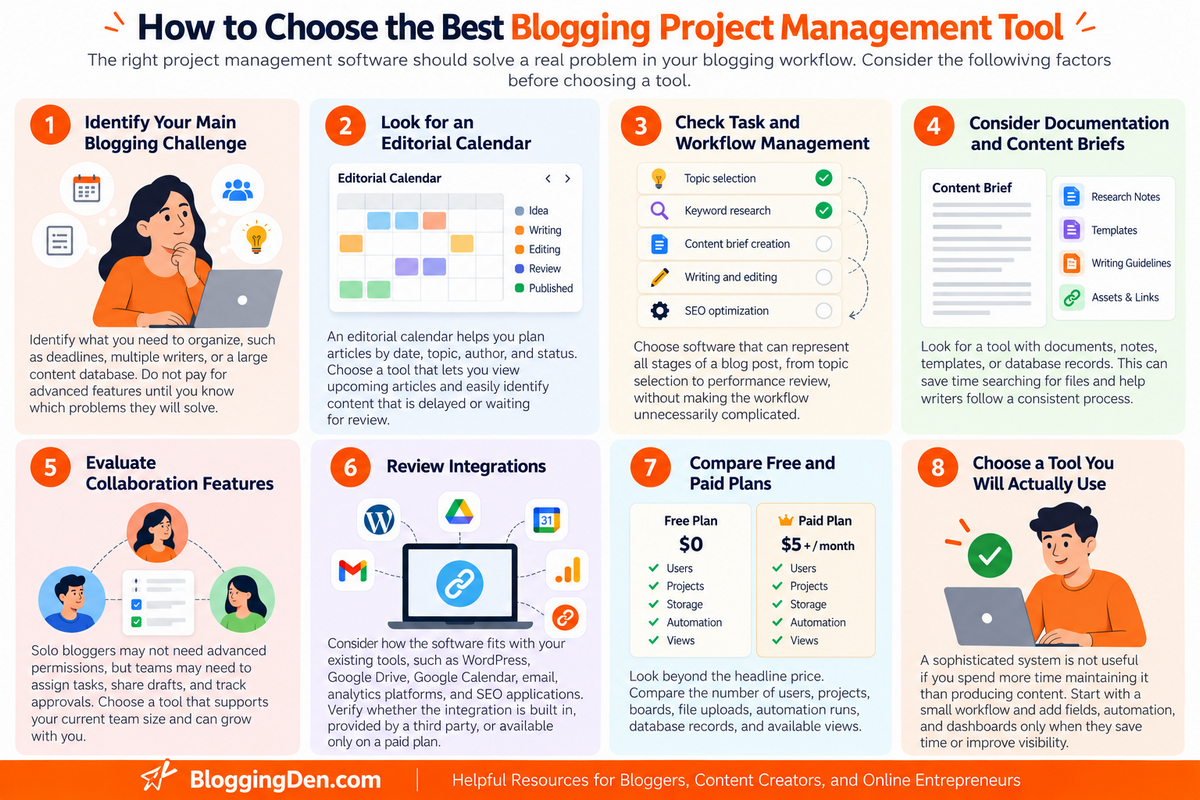
The right project management software should solve a real problem in your blogging workflow. Before choosing a tool, consider the following factors.
1. Identify Your Main Blogging Challenge
Start by identifying what you need to organize.
If you frequently forget publishing deadlines, prioritize calendar and reminder features. If you manage multiple writers, look for task assignments and collaboration. If you have hundreds of articles, keywords, and affiliate products, a structured database may be more useful.
Do not pay for advanced features until you understand which problems they will solve.
2. Look for an Editorial Calendar
An editorial calendar helps you plan articles by date, topic, author, and status. It also makes it easier to maintain a consistent publishing schedule.
Choose a tool that lets you view upcoming articles and identify content that is delayed or waiting for review.
3. Check Task and Workflow Management
A blog post typically moves through several stages:
- Topic selection
- Keyword research
- Search-intent analysis
- Content brief creation
- Writing and editing
- SEO optimization
- Image preparation
- WordPress formatting
- Publication
- Promotion
- Performance review and updating
Choose software that can represent these stages without making the workflow unnecessarily complicated.
Publishing an article is only the beginning; learn how to promote your published blog posts to reach more readers.
4. Consider Documentation and Content Briefs
If you frequently create detailed briefs, research notes, or writing instructions, look for a tool with documents, notes, templates, or database records.
This can reduce the time you spend searching through separate files and help writers follow a consistent process.
5. Evaluate Collaboration Features
Solo bloggers may not need team permissions or advanced reporting. A content agency, however, may need to assign tasks to writers, share drafts with editors, and track client approvals.
Choose a tool that supports your current team size and can grow with you if necessary.
6. Review Integrations
Consider how the software fits with your existing tools, such as WordPress, Google Drive, Google Calendar, email, analytics platforms, and SEO applications.
An integration may be built in, provided by a third party, or available only on a paid plan. Verify the details before choosing a tool based on a particular connection.
7. Compare Free and Paid Plans
Look beyond the headline price. Check the number of users, projects, boards, file uploads, automation runs, database records, and available views.
For bloggers, a plan with generous task limits but very little storage may be fine if you keep images and documents elsewhere. The same plan may be unsuitable if you want to store every content asset inside the project management tool.
8. Choose a Tool You Will Actually Use
A sophisticated system is not useful if you spend more time maintaining it than producing content.
Start with a small workflow. Add fields, automation, and dashboards only when they save time or improve visibility.
How to Use Project Management Software for Blogging
Once you choose a tool, set up a repeatable workflow. The following system works for most blogs, including affiliate websites, personal blogs, and content-focused business websites.
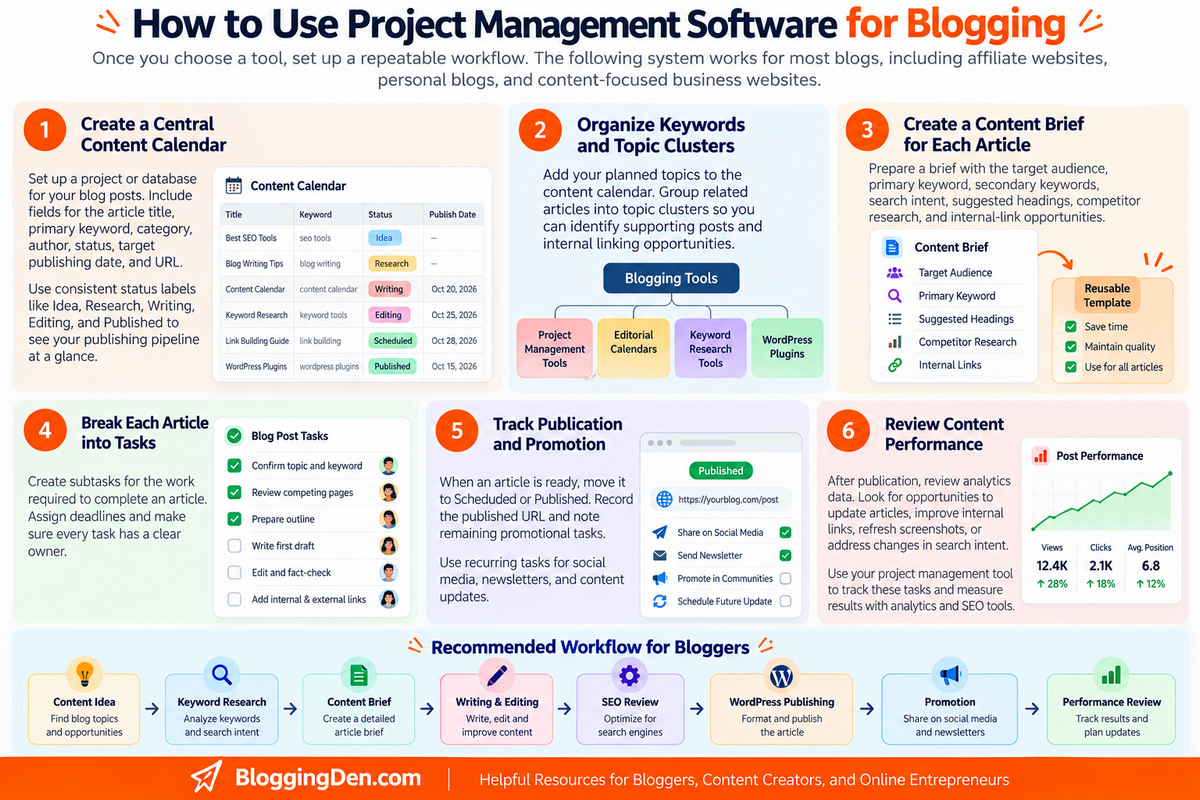
Step 1: Create a Central Content Calendar
Set up a project or database for your blog posts. Include fields for the article title, primary keyword, category, author, status, target publishing date, and URL.
Once your topic and keyword are finalized, follow our step-by-step guide to writing a blog post to organize the writing process.
Use consistent status labels such as:
- Idea
- Research
- Brief Ready
- Writing
- Editing
- SEO Review
- Scheduled
- Published
- Update Required
This gives you a clear view of your publishing pipeline.
Step 2: Organize Keywords and Topic Clusters
Add your planned topics to the content calendar. Group related articles into topic clusters so you can identify supporting posts and potential internal links.
For example, a blogging tools cluster might include articles about project management software, editorial calendars, keyword research tools, content optimization, and WordPress plugins.
Publishing an article is only the beginning; learn how to promote your published blog posts to reach more readers.
Track the primary keyword and search intent for each article. Avoid creating multiple posts that target the same search intent without a clear reason.
Step 3: Create a Content Brief for Each Article
Before writing, prepare a brief that includes the target audience, primary keyword, secondary keywords, search intent, suggested headings, competitor research, internal-link opportunities, and any necessary sources.
A reusable brief helps you maintain consistent quality, especially when several writers contribute to the website.
Step 4: Break Each Article into Tasks
Create subtasks for the work required to complete an article.
For example:
- Confirm the topic and keyword.
- Review competing pages.
- Prepare the outline.
- Write the first draft.
- Edit and fact-check the article.
- Add internal and external links.
- Prepare images and screenshots.
- Optimize the title and meta description.
- Format the article in WordPress.
- Publish and promote the post.
Assign deadlines where needed and make sure every task has a clear owner.
Step 5: Track Publication and Promotion
When an article is ready, move it to the Scheduled or Published stage. Record the published URL and note any remaining promotional tasks.
You can also create recurring tasks for social media promotion, newsletter distribution, and content updates.
Step 6: Review Content Performance
After publication, review relevant performance data in your analytics and search tools. Record opportunities to update articles, improve internal links, refresh screenshots, or address changes in search intent.
The project management tool helps you organize the work; use your analytics and SEO platforms to measure results.
To improve your content optimization process, review these SEO fundamentals for beginners.
Recommended Workflow
Content idea → Keyword research → Content brief → Writing and editing → SEO review → WordPress publishing → Promotion → Performance review
Common Mistakes to Avoid When Using Project Management Software
- Creating too many boards or projects: Too many separate workspaces can make it difficult to see your complete publishing schedule. Start with a simple structure and split projects only when necessary.
- Adding unnecessary fields: Every extra field creates maintenance work. Keep only the information you regularly use to make decisions.
- Treating the content calendar as a storage dump: A calendar should help you understand what needs to happen next. Keep research and supporting documents organized and linked to the relevant article.
- Ignoring deadlines and task ownership: Every active task should have a clear next step. If a team is involved, assign responsibility instead of assuming someone else will complete it.
- Automating before testing the workflow: First confirm that your process works manually. Then automate repetitive actions that genuinely save time.
- Failing to review old articles: Published content may need updating as products, software, search results, and industry information change. Add periodic content reviews to your workflow.
Best Project Management Software for Bloggers: Final Comparison
Use this table to match a tool to your main requirement.
| Your Requirement | Recommended Tool | Why |
|---|---|---|
| All-in-one blogging workflow | ClickUp | Tasks, documents, and multiple views |
| Simple editorial calendar | Trello | Visual boards and cards |
| Content briefs and research | Notion | Flexible documents and databases |
| Managing writers and editors | Asana | Task ownership and team coordination |
| Custom visual workflows | monday.com | Configurable boards and dashboards |
| Large content inventories | Airtable | Structured records and linked databases |
| Personal blogging tasks | Todoist | Simple tasks and reminders |
Frequently Asked Questions
What Is the Best Project Management Software for Bloggers?
ClickUp is our overall recommendation for bloggers who want task management, documents, and multiple project views in one workspace. Trello is better for a simple visual editorial calendar, while Notion is particularly useful for content briefs, research, and documentation. The best option depends on your workflow and team size.
What Is the Best Free Project Management Software for Bloggers?
ClickUp, Trello, Notion, Asana, monday.com, Airtable, and Todoist all offer free plans, but their limits differ. ClickUp is a strong all-in-one option, Trello works well for visual content planning, and Notion is useful for organizing research and briefs. Compare current limits before choosing.
Can I Use Project Management Software With WordPress?
Yes. You can use project management software to plan articles, track writing tasks, schedule deadlines, and manage publishing checklists for a WordPress website. Direct WordPress integration depends on the tool and the integration method. You can also use a simple workflow in which you track article status in the project manager and publish through the WordPress dashboard.
Is Trello Better Than ClickUp for Bloggers?
Trello is generally easier to learn and is excellent for visual editorial calendars. ClickUp offers a broader set of project management features, including documents and different project views. Choose Trello if you value simplicity; choose ClickUp if you need a more comprehensive content workflow.
Is Notion Good for Content Planning?
Yes. Notion is useful for creating editorial calendars, content databases, article briefs, keyword research notes, and reusable checklists. It is especially suitable for bloggers who want planning and documentation in the same workspace.
Do Bloggers Need Paid Project Management Software?
No. Many solo bloggers can manage their content using a free plan. Paid software becomes more useful when you need additional users, storage, reporting, automation, advanced views, or administrative controls. Upgrade when a specific limitation is affecting your work, rather than paying for features you do not use.
Which Project Management Tool Is Best for Affiliate Bloggers?
ClickUp is a good all-in-one starting point for affiliate bloggers who need to manage research, article production, review updates, and publishing deadlines. Airtable can be especially useful when you need a structured database of products, affiliate programs, and related content. The best choice depends on whether your main challenge is managing tasks or organizing large amounts of data.
What Should a Blogging Editorial Calendar Include?
A useful editorial calendar should include the article title, primary keyword, search intent, content category, content status, author, target publishing date, and published URL. You can also track supporting keywords, internal-link opportunities, update dates, and content performance if those fields help your workflow.
Final Verdict: Which Project Management Tool Should Bloggers Choose?
The best project management software for bloggers is the one that makes planning, producing, and updating content easier.
ClickUp is our top overall choice because it brings task management, documents, and project views together. Trello is ideal for bloggers who prefer a simple visual editorial calendar. Notion is particularly strong for content research and documentation, while Asana helps teams coordinate writing and editing. monday.com suits visual workflows, Airtable is useful for structured content databases, and Todoist is a practical choice for personal blogging tasks.
If you are starting out, choose a free plan and build a basic content workflow before paying for advanced features. Track article ideas, keywords, deadlines, and publication status first. Add more complex features only when your blogging operation needs them.
For most solo bloggers, start by comparing ClickUp, Trello, and Notion. Try each tool with a small group of upcoming articles, then choose the one that feels easiest to maintain.
Recommended next step: Create a content calendar for your next 10 blog posts and use it to manage each article from keyword research to publication. A simple, consistently used system is more valuable than a complicated workflow you rarely update.







Hello,
All these software are just amazing,
I will surely use them from now on.
Thank you for sharing this amazing article.
hi this is really nice post thank you for sharing
Great list of tools bro! Thank you for taking the time to create such a helpful resource!
Probably the best blog I have read so far Thanks for the help for providing the list of tools
Such a great collection of tools. It really going to help every blogger. Thank you bro.
Hi Satish sir,
You collect ultimate tools here. I knew first time about these tools. I think Evernote is best option for blogger.
Thanks
Amar Banshiwal