
Are you tired of spending endless hours juggling social media tasks just to keep your blog or business visible online? Social media scheduling tools can revolutionize your online presence. They automate repetitive tasks and streamline social media activities. Additionally, they enhance your content strategy. These tools empower marketers and businesses to plan, create, and schedule posts in advance. This allows them to maintain consistency and efficiency. The tools also boost audience engagement across multiple social networks.
Social media is an essential channel for branding, marketing, and customer interactions. However, managing multiple platforms manually is both time-consuming and overwhelming. This is where AI-powered scheduling tools step in. They offer a strategic approach to post automation, hashtag optimization, image editing, and analytics tracking. Ultimately, this enhances your social media campaign performance.
Whether you’re a solo entrepreneur, influencer, or brand marketer, staying ahead in 2025 requires smart automation. With the best social media scheduling tools, you can boost productivity and maintain consistency. These tools also help maximize audience reach. They free up valuable time to focus on engagement, storytelling, and business growth. Let’s dive into the top-rated scheduling tools that will transform the way you manage social media!
In 2025, managing multiple social profiles efficiently will be more important than ever. Scheduling tools allow you to plan and automate posting to save time while optimizing your impact. No more scrambling to share content or forgetting to post updates!
What is Social Media Scheduling?
Social media scheduling is the process of planning and scheduling social media posts in advance using social media management tools. These tools allow users to create, schedule, and publish content across various social media platforms from a single dashboard. Social media scheduling tools are designed to save time and effort by automating repetitive tasks and streamlining social media activities.
What are the benefits of social media scheduling?
Manual social media posting is time-consuming and inconsistent. Social media scheduling tools optimize efforts by planning and automating updates.
With easy-to-use interfaces, you can queue content across platforms for efficient promotion. Key features like auto-scheduling, repeating posts, and analytics help save time while strategically growing your audience.
Let us see the benefits of these.
- Time-saving: Social media scheduling tools allow users to schedule posts in advance, saving time and effort. This enables users to focus on other important aspects of their business.
- Consistency: Social media scheduling tools help maintain a consistent posting schedule, ensuring that your audience receives regular updates and engagement.
- Improved Engagement: Scheduling posts at optimal times can increase engagement and reach, leading to increased brand awareness and customer loyalty.
- Analytics and Reporting: Social media scheduling tools provide in-depth analytics and reporting capabilities. They allow users to track the performance of their social media campaigns. Users can also understand audience engagement.
- Collaboration: Many social media scheduling tools allow multiple team members to access social media accounts. They can manage these accounts from a single platform. This can improve collaboration and streamline communication within your team.
Best Social Media Scheduling Tools for better Social Management
If you’re still looking for the right tools to optimize your social strategy, we have a recommendation. Check out our list of the best social media management tools.
These are the tools to manage social media activity. These social media scheduling tools are very effective for increasing your online presence. You can use it at any time to schedule social media posts on a single platform.
How are you taking advantage of social media scheduling tools? Brands of all shapes and sizes are using these tools to grow their followings. They save time and push out more content.
1. SEMrush Social Toolkit
If you’re looking for a smart, all-in-one platform, consider the SEMrush Social Toolkit. It handles scheduling, analytics, content generation, and competitor research. It is a top-tier solution for 2025. It is designed for business owners, digital marketers, and social media managers. The platform simplifies the entire social media management cycle. As a result, you can save time while boosting engagement.
Whether you’re managing one brand or multiple client accounts, the toolkit helps you stay organized. It keeps you inspired and data-driven, all from a single dashboard.
Key Features of SEMrush Social Toolkit:
- Social Poster – Schedule and publish posts across Facebook, Instagram, X (Twitter), LinkedIn, and Pinterest with a user-friendly calendar.
- Social Content AI – Generate engaging content ideas powered by AI, based on trending topics, competitors, and brand voice.
- Social Tracker – Monitor your competitors’ social performance, top-performing posts, and engagement trends.
- Social Analytics – Access visual reports that show your best-performing content, audience engagement, follower growth, and more.
- Influencer Analytics (Advanced) – Discover and filter the right influencers to partner with, based on your niche and goals.
- Media Monitoring (Advanced) – Keep an eye on brand mentions, news, and social buzz. This helps you stay ahead of PR crises or opportunities.
- Custom RSS Feeds – Stay on top of relevant news and updates without scrolling endlessly through social media.
Pricing:
- Base Plan: Starts at $20/month. It is perfect For individuals and small teams.
- Pro Plan: $40/month for Pro features. It is suitable for social media pros, businesses and agencies.
- Business Plan: $250/month for Business users. This plan helps you For scaling businesses, agencies, and brand marketing teams.
- Includes a 7-day free trial. You can try for Free.
👉 If you’re already using SEMrush, this social toolkit integrates seamlessly. It’s an ideal choice for data-driven social media growth in 2025.
- SEMrush SEO Toolkit Review: Features, Pricing, Pros and Cons
- Semrush Content Marketing Toolkit Review
- SEMrush Free Trial: Grab the PRO or Guru Accounts for 7 days
2. TailWind
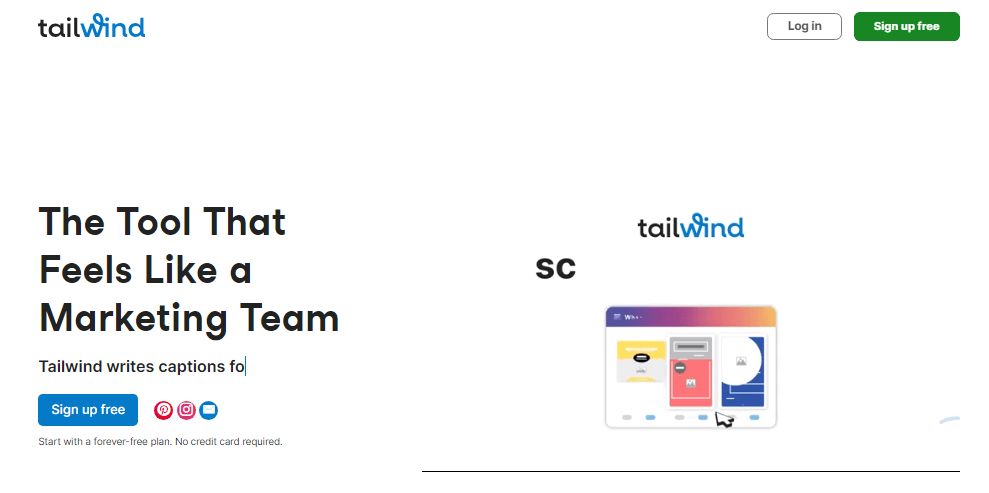
Tailwind is recognized as one of the best Pinterest marketing tools, designed to accelerate your Pinterest marketing strategy. Tailwind offers powerful capabilities for Pin scheduling. It also supports content creation and bulk editing. These features help users manage their Pinterest presence more efficiently and effectively. A key feature is its free-forever plan, allowing users to start without any financial commitment.
Features of TailWind:
Tailwind’s key features include:
- Powerful Scheduling Tools: Tailwind allows users to create and schedule Pins effortlessly through bulk editing and publishing. The drag-and-drop visual calendar simplifies the scheduling process.
- Seamless Integration: Tailwind integrates with platforms like Shopify, WordPress, WooCommerce, and Squarespace, automatically generating shareable content from your products or pages.
- Advanced Pinning Options: Utilize interval and multi-board pinning to spread content across various boards while maintaining pre-set intervals.
- SmartSchedule and Automation: Tailwind’s Personalized SmartSchedule helps you post Pins at optimal times for maximum engagement. The autopublish feature reduces manual work by handling scheduling tasks in batches.
- AI Integration: Tailwind employs AI to optimize Pinterest marketing, crafting Pin Titles and Descriptions in your brand’s voice. The Ghostwriter AI assists with over 50 marketing tasks, from video scripts to product descriptions.
- SmartPin Functionality: This feature generates unique, data-backed Pins to amplify your marketing efforts without consuming additional time. SmartPins are optimized to increase engagement, driving real results.
Price:
Tailwind offers a “free-forever” plan. It provides access to essential features without requiring a credit card. This makes it accessible for brands and businesses at any stage of their Pinterest marketing journey. For advanced features and capabilities, Tailwind offers various pricing plans,
- Pro Plan: Priced at $14.99 per month, this plan is suitable for individuals and small businesses. It offers essential features for social media scheduling and analytics. It comes with 200 Ai credits per month for 200 posts schedules.
- Advanced Plan: Available at $24.99 per month. This plan is tailored for growing businesses. It provides additional features such as increased post limits and advanced analytics. It comes with 1000 Ai credits per month for 1000 posts schedules.
- Max Plan: Priced at $49.99 per month, the Max plan is ideal for larger businesses. It offers features such as increased post limits, advanced analytics, and additional user accounts. It comes with 2000 Ai credits per month for 2000 posts schedules.
- Free forever Plan: This plan gives 5 Ai credits per month. It helps you to start your brand promotion for a single account. You can create 5 post designs. It helps you to start testing this platform.
3. Content Studio
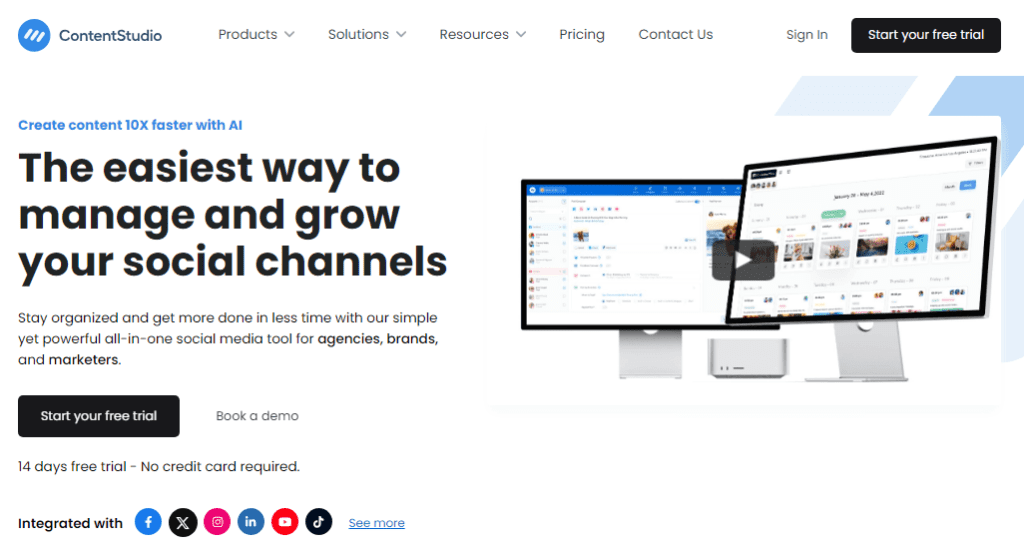
ContentStudio is a unified social media management platform. It offers a range of features to streamline content curation, planning, and publishing across various social media channels. It is designed to help businesses and marketers effectively manage their social media presence from a single dashboard.
Features of ContentStudio
The platform provides the following key features:
- Content Discovery: ContentStudio offers content discovery tools. These tools help users find relevant and engaging content from various sources. The sources include articles, videos, and GIFs.
- Post Scheduling: Users can schedule posts across multiple social media platforms, allowing for efficient content planning and publishing.
- Analytics and Reporting: The tool provides in-depth analytics. It also offers reporting capabilities to track the performance of social media campaigns. This helps to understand audience engagement.
- Social Media Inbox: It provides a unified inbox. You can manage and respond to messages and comments from different platforms in one place1.
- AI-Based Content Suggestions: ContentStudio includes AI-powered content suggestions to assist users in creating engaging and relevant posts.
Price:
ContentStudio offers the following pricing plans:
- Sttandard Plan: Priced at $19 per month (billed annually), this plan is suitable for solo entrepreneurs and freelancers. It includes features such as social composers, AI writers, social media analytics, and a 14-day free trial.
- Advanced Plan: Available at $49 per month (billed annually), this plan is tailored for growing businesses and teams. It includes additional features such as a social media inbox, content approval workflow, and team collaboration.
- Agency Plan (Small): Priced at $99 per month (billed annually). This plan is ideal for digital marketing agencies. It includes features such as complete client management, competitor analytics, and dedicated support.
4. HootSuite
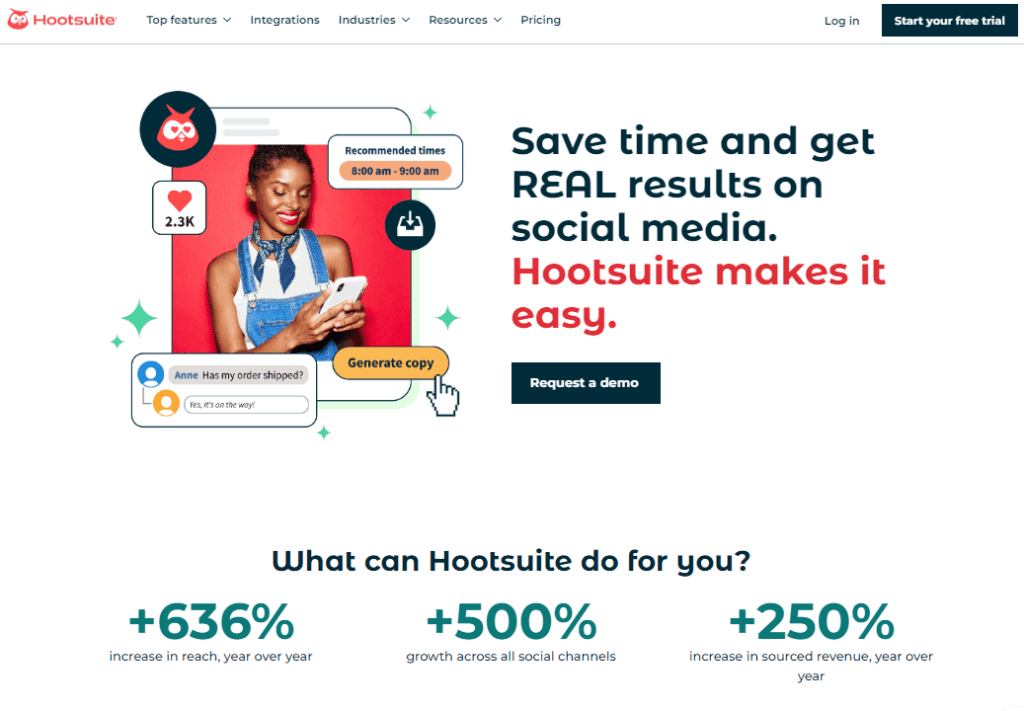
Hootsuite stands out as a leading social media scheduling tool in 2025. It offers a comprehensive platform that streamlines content management. It also enhances team collaboration and provides in-depth analytics. Recognized for its versatility and robust features, Hootsuite empowers businesses to efficiently manage their social media presence across multiple platforms.
Features of HootSuite
Hootsuite offers a variety of features, including:
- Unified Social Media Dashboard: Hootsuite’s intuitive dashboard allows users to manage multiple social media accounts in one place. These include Facebook, Instagram, Twitter (X), LinkedIn, TikTok, YouTube, and Pinterest.
- Advanced Scheduling and Publishing: Hootsuite offers features like bulk scheduling of up to 350 posts. It includes a drag-and-drop content calendar. AI-powered recommendations help determine the best time to post. This ensures your content reaches the audience when they’re most active.
- AI-Driven Content Creation: Leverage Hootsuite’s AI tools for generating engaging captions, hashtags, and content ideas. Integration with Canva and access to a vast stock photo library further simplify the content creation process.
- Comprehensive Analytics and Reporting: Monitor your social media performance with customizable reports, sentiment analysis, and competitor benchmarking. These insights help in refining strategies and measuring ROI effectively.
- Social Listening and Engagement Stay updated with real-time monitoring of brand mentions, keywords, and industry trends. Hootsuite’s unified inbox ensures timely responses to messages and comments, enhancing customer engagement.
- Team Collaboration Tools: Assign tasks, set up approval workflows, and manage team roles efficiently. These features are particularly beneficial for agencies and businesses with multiple team members handling social media.
Price
Hootsuite offers flexible pricing with several plan options to meet the needs of different users. The pricing is tiered based on the plan type. It starts at $19 per month for the Professional plan. Custom solutions are available for larger organizations.
5. CoSchedule
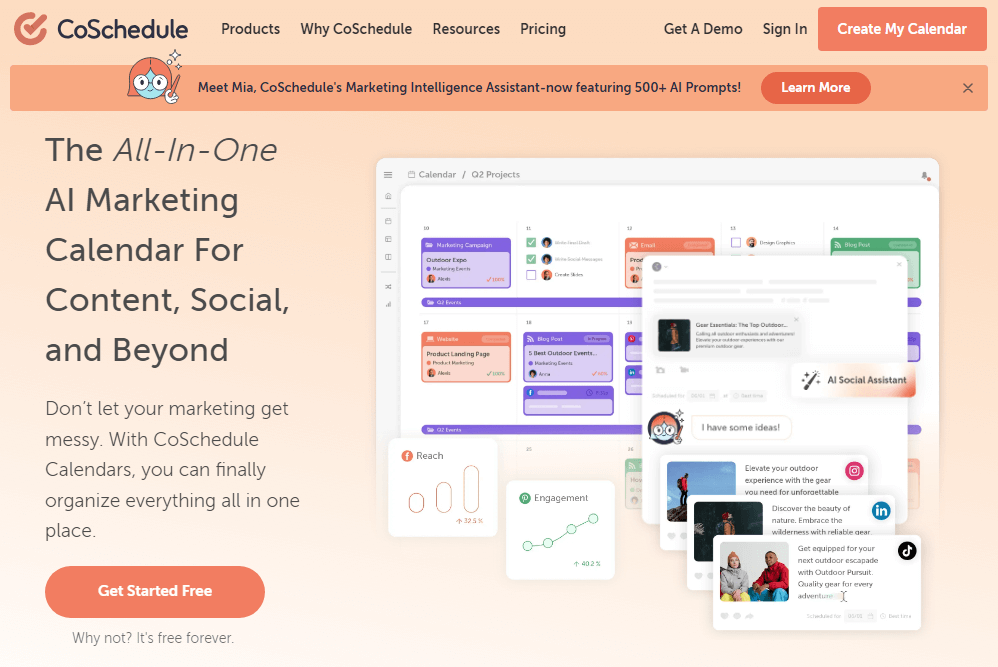
Managing social media efficiently is a challenge for businesses, influencers, and marketers. CoSchedule simplifies this process by offering a comprehensive marketing calendar that helps users plan, schedule, and automate social media content. Whether you’re a solopreneur, agency, or mid-sized marketing team, CoSchedule offers tools to streamline workflows. It enhances engagement and optimizes content distribution.
Features of CoSchedule:
CoSchedule is packed with powerful features designed to boost productivity and improve social media management:
- Integrations: Supports major social networks and marketing tools, making content distribution easy and effective
- Social Calendar: Organize, schedule, and publish content across multiple platforms effortlessly.
- Marketing Suite: A robust set of tools to manage marketing tasks, team collaborations, and content strategies.
- Content Calendar: A customizable planner providing complete visibility into projects and campaigns.
- Agency Calendar: Designed for agencies handling multiple clients, ensuring smooth workflow and content scheduling.
- Social Inbox: Engage with followers by responding to comments, DMs, and replies from a unified dashboard.
- Analytics & Reporting: Track post performance, audience behavior, and engagement metrics for strategic refinement.
- AI Marketing Tools: Includes headline analyzers, AI-powered content creation, and optimization for better reach.
Price:
CoSchedule offers different pricing plans based on user needs:
- Social Calendar: Ideal for small businesses, featuring essential scheduling and publishing tools ($19 per user/month).
- Agency Calendar: Built for agencies, offering multiple client management features ($59 per user/month).
- Content Calendar: Suited for mid-sized teams needing full visibility into their marketing efforts.
- Marketing Suite: Advanced marketing tools with collaboration features for growing businesses.
CoSchedule is a powerful social media scheduling tool that helps businesses automate workflows, maintain consistency, and enhance brand visibility. Whether you’re an individual blogger or a marketing agency, using a feature-rich scheduling tool like CoSchedule can significantly improve efficiency. It can also enhance impact.
Marketers can leverage analytics-driven insights, AI-powered optimization, and seamless social media management. This allows them to focus on engagement, storytelling, and brand growth. They can avoid spending time on manual posting. Explore your options, find the best fit, and streamline your social media strategy with CoSchedule!
6. PostPlanner
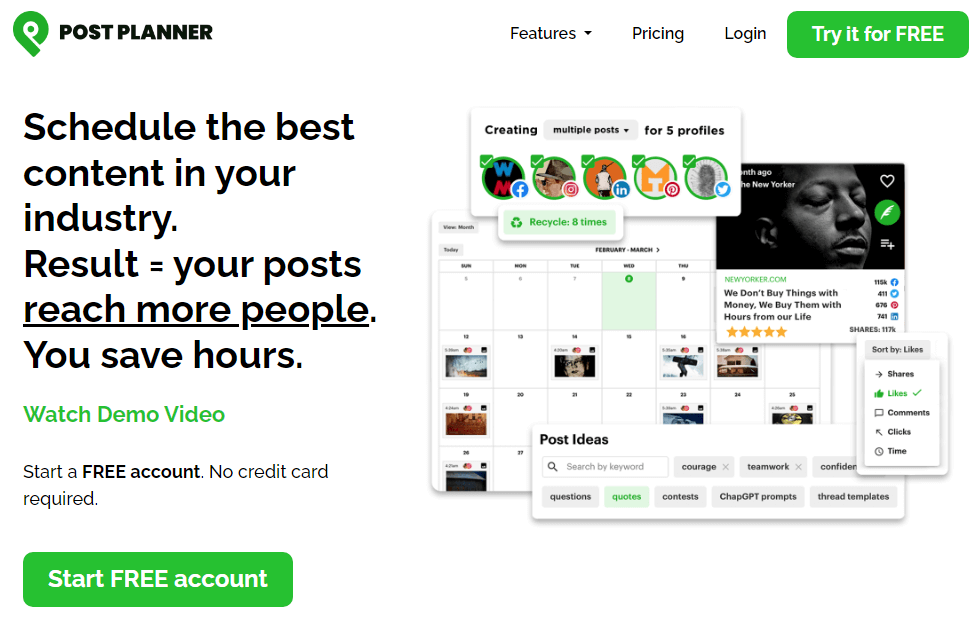
Managing social media efficiently can be overwhelming, especially when juggling multiple platforms. Post Planner simplifies this process. It offers AI-powered scheduling, content curation, and automation tools. These features help businesses and influencers maximize engagement and reach. Whether you’re looking to boost brand visibility or streamline posting, Post Planner has a user-friendly solution. It also helps you discover viral content to enhance your social media strategy.
Features of PostPlanner:
Post Planner is packed with powerful features designed to optimize content scheduling and audience engagement:
- Automated Scheduling: Plan and schedule posts across Facebook, Instagram, LinkedIn, Pinterest, TikTok, Twitter/X, YouTube, and Google Business.
- Content Curation: Discover viral articles, trending videos, and engaging posts from top sources like Twitter, Facebook, RSS, and Reddit.
- AI Post Creator: Generate high-performing captions, hashtags, and post ideas using AI-powered automation.
- Post Recycling: Keep your best content in rotation to maximize visibility and engagement.
- Social Analytics: Track post performance, audience behavior, and engagement metrics to refine your strategy.
- Multi-Account Management: Manage multiple social media accounts seamlessly with team collaboration features.
- Media Editor: Edit images and videos directly within the platform for optimized visual content.
- Mobile Apps & Integrations: Access Post Planner on iOS, Android, and browser-based platforms for on-the-go scheduling.
Pricing:
Post Planner offers flexible pricing plans to suit different needs
- Free Plan: 1 social account, 15 scheduled posts, and basic scheduling features.
- Starter Plan: (₹400 /month) 3 social accounts, 150 scheduled posts, and AI-powered content discovery.
- Growth Plan: (₹1,500 /month) 12 social accounts, 1,000 scheduled posts, and advanced analytics.
- Business Plan: (₹2,500/month)) The business plan includes 25 social accounts, 5,000 scheduled posts, and premium scheduling features.
- Enterprise Plan: Custom pricing for businesses managing 51+ social accounts.
Post Planner is a powerful social media scheduling tool that helps businesses automate workflows, maintain consistency, and enhance brand visibility. With AI-driven automation, viral content discovery, and seamless scheduling, marketers can save time, boost engagement, and grow their audience effortlessly.
Post Planner leverages analytics-driven insights, post recycling, and multi-platform integrations. This ensures efficient social media management. It allows users to focus on strategy, storytelling, and brand growth. Explore your options, find the best fit, and streamline your social media efforts with Post Planner!
7. Sprout Social
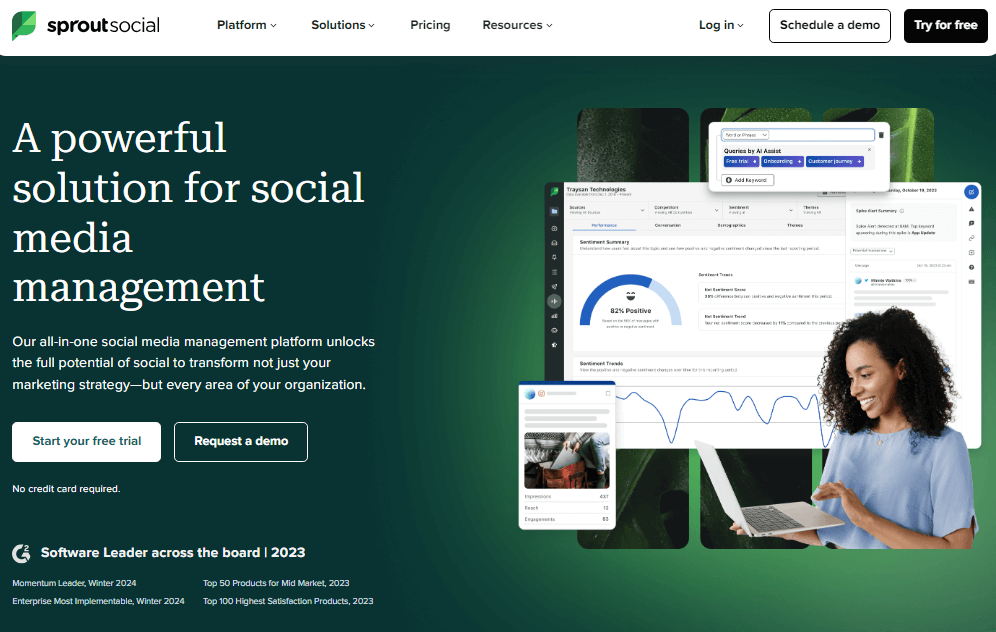
Sprout Social is a comprehensive social media management platform that provides tools for publishing, monitoring, and analyzing social media content. It offers a unified dashboard for managing multiple social accounts. Users can access various networks through this dashboard. It enables them to streamline their social media activities on a single platform.
Features of Sprout Social:
Sprout Social offers a variety of features, including
- Unified Social Inbox: Users can monitor and engage with messages across multiple social media platforms. These platforms include Facebook, Twitter, Instagram, LinkedIn, and WhatsApp. They can all be accessed from a single, unified social inbox.
- Post Scheduling and Publishing: The platform allows for the scheduling and publishing of content tailored to each social platform. It also provides the ability to create and apply custom tags to outbound social messages.
- Analytics and Reporting: Sprout Social offers in-depth social media reporting tools. These tools include unlimited, presentation-ready social media reports. You can track all social metrics in a single dashboard.
- Social Listening and Monitoring: Users can gain contextual insight into how people are talking about their brand on Twitter. They track trending topics, hashtags, and influencers.
Price:
Sprout Social offers its services on four levels.
Standard
- Price: $249 per month.
- Additional Seat: +$199/mo
- Free Trial: Start your free trial (no credit card is required).
Professional
- Price: $399 per month.
- Additional Seat: +$299/mo
- Free Trial: Start your free trial (no credit card is required).
Advanced
- Price: $499 per month.
- Additional Seat: +$349/mo
- Free Trial: Start your free trial (no credit card is required).
The platform also provides custom solutions and premium add-ons that can be included in any plan. The plan type determines the pricing tiers, and additional user costs apply. For specific pricing details, users can contact Sprout Social directly.
8. Buffer App
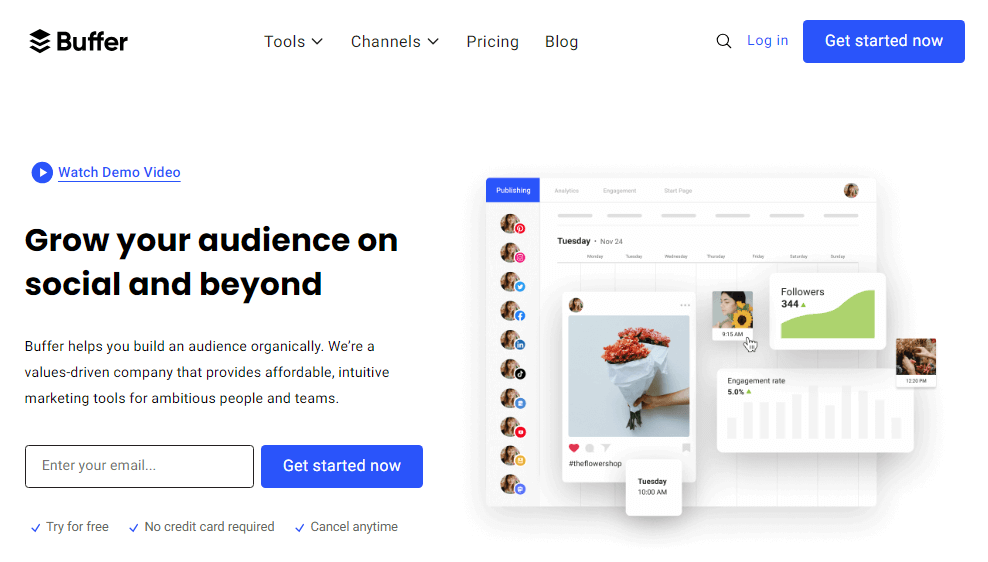
Buffer is a social media management platform. It enables users to schedule and publish content across various social media platforms. These include Facebook, Twitter, Instagram, and LinkedIn. It offers a range of features to streamline social media activities, analyze performance, and optimize content for different platforms.
Features of Buffer:
Buffer provides the following key features:
- Post Scheduling: Users can schedule posts across multiple social media platforms, allowing for efficient content planning and publishing.
- Analytics and Reporting: The platform offers in-depth analytics. It provides reporting capabilities to track the performance of social media campaigns. These tools help understand audience engagement.
- Social Media Management: Buffer offers a unified dashboard. It helps manage multiple social media accounts across various networks. This enables users to streamline their social media activities on a single platform.
- Content Creation and Collaboration: Buffer enables users to create, plan, and execute marketing projects directly within the platform. It supports team collaboration by providing features such as task visualization. It also offers drag-and-drop project management and integrations with other tools like WordPress.
Price:
Buffer offers a range of pricing plans to cater to different user needs:
- Free Plan: The free plan allows for basic social publishing and is suitable for organizing and scheduling social media posts.
- Essentials Plan: Priced at $6 per month per channel. This plan is tailored for individuals and freelancers. It offers features such as content curation and scheduling.
- Team Plan: Available at $12 per month per channel. This plan is ideal for growing businesses and teams. It provides additional features such as advanced scheduling and analytics.
- Agency Plan: Priced at $120 per month for 10 channels. This plan is suitable for businesses and agencies. It offers features such as increased social accounts and scheduled posts.
9. Sendible

Sendible is a social media management platform. It offers a unified dashboard for managing and scheduling content across various social media platforms. These platforms include Facebook, Twitter, Instagram, LinkedIn, and more. It provides features for content scheduling, analytics and reporting, social media monitoring, and engagement.
Features of Sendible:
Sendible provides the following key features:
- Post Scheduling and Publishing: Users can schedule and publish content tailored to each social platform. They also have the ability to auto-post directly to various social networks.
- Analytics and Reporting: The platform offers in-depth analytics and reporting capabilities. It includes pre-built reports with Google Analytics integration. These showcase campaign successes.
- Social Media Monitoring and Engagement: Sendible offers a unified social inbox. This helps manage all social media comments in one place and messages in a single location. This simplifies social media engagement and monitoring.
- Content Discovery and Collaboration: Users can discover and curate engaging content from various sources. The platform also allows for team collaboration. It supports content approval workflows.
Price:
Sendible offers a range of pricing plans to cater to different user needs. You can start any plan with a free trial.
- Creator Plan: Priced at $29 per month, this plan is suitable for individuals and freelancers. It offers features such as content curation, scheduling, and basic analytics.
- Traction Plan: Available at $89 per month. This plan is ideal for growing businesses and teams. It provides additional features such as advanced scheduling, analytics, and increased social profiles.
10. SocialBee

SocialBee is an all-in-one social media management platform that provides tools for content creation, scheduling, analytics, and engagement. It supports various social media platforms, including Facebook, Twitter, LinkedIn, Instagram, Pinterest, Google My Business, TikTok, and YouTube. The platform offers AI content creation and strategy, content categories, and design integrations with Canva, Unsplash, and GIPHY.
Features of SocialBee:
SocialBee offers the following key features:
- Content Creation and Design Integrations: Users can create visually appealing graphics with Canva. They can add stock images from Unsplash. Additionally, they can create GIFs from GIPHY directly within the platform. It also provides AI content creation and strategy, including ready-to-use posts, recommended posting times, and content categorization.
- Post Scheduling and Publishing: The platform enables users to plan and schedule posts for optimal social media sharing. It offers live post preview and includes features like image alt text and post location. You can also schedule the first comment to maximize engagement and impact.
- Analytics and Reporting: SocialBee provides analytics and data on the audience. It also allows the management of comments, mentions, and direct messages for various social media platforms.
- Engagement and Collaboration: The platform offers features for audience engagement, such as comments, reactions to posts, and direct messages. It also provides collaboration features for co-creating content with other brands or creators.
Price:
SocialBee offers the following pricing plans:
- Bootstrap Plan: Priced at $24 per month, this plan is suitable for authors, coaches, and solopreneurs. It offers basic features for social media management.
- Accelerate Plan: Available at $40 per month. This plan is tailored for startups and small businesses. It provides additional features such as advanced scheduling, analytics, and increased social profiles.
- Pro Plan: Priced at $82 per month, the Pro plan is suitable for businesses and agencies. It offers features such as increased social accounts, user roles, and client management.
11. SocialPilot

SocialPilot is a comprehensive social media management platform that provides tools for content creation, scheduling, analytics, and engagement. It supports various social media platforms, including Facebook, Twitter, LinkedIn, Instagram, Pinterest, Google My Business, TikTok, and YouTube. The platform is designed to help individuals and businesses streamline their social media activities and improve their online presence.
Features of SocialPilot
SocialPilot offers a wide range of features, including
- Content Scheduling: Users can schedule and publish content across multiple social media platforms, tailoring posts to meet each network’s requirements.
- Analytics and Reporting: The platform provides in-depth analytics and reporting capabilities. These tools help track the performance of social media campaigns. They also aid in understanding audience engagement.
- Social Media Management: SocialPilot offers a unified dashboard. It helps manage multiple social media accounts across various networks. This enables users to streamline their social media activities on a single platform.
- Content Creation and Collaboration: The platform enables users to create, plan, and execute marketing projects directly within the platform. It supports team collaboration by offering task visualization features. It also provides drag-and-drop project management. Additionally, it integrates with other tools like Canva, Unsplash, and GIPHY.
Price:
SocialPilot offers the following pricing plans:
- Professional Plan: Priced at $30 per month. This plan is suitable for small businesses and agencies. It offers features such as 10 social media accounts, 1 user, and bulk scheduling.
- Small Team Plan: Available at $50 per month. This plan is tailored for growing agencies and small teams. It provides additional features such as 20 social media accounts, 3 users, and client management.
- Agency Plan: Priced at $100 per month. The agency plan is suitable for large agencies and enterprises. It offers features such as 30 social accounts, 6 users, and white-label PDF reports.
12. MeetEdger
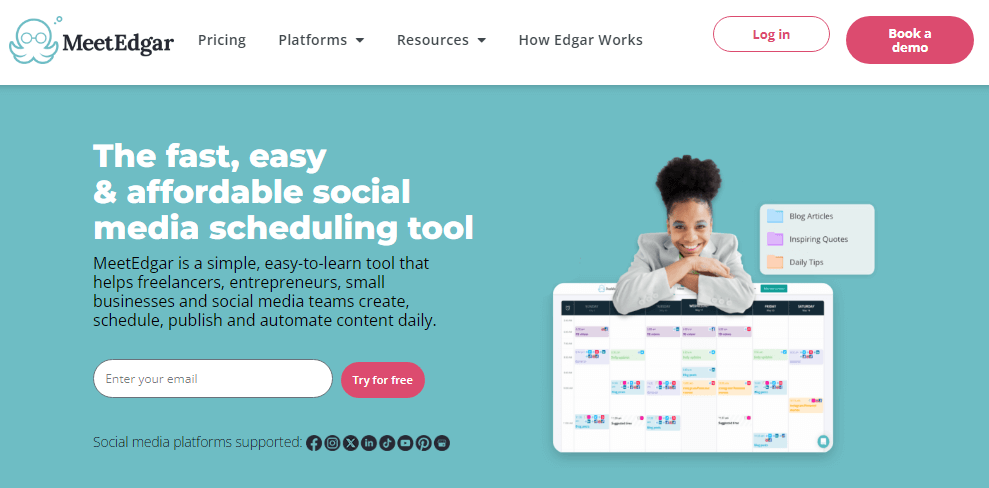
MeetEdgar is a social media management platform that provides tools for content creation, scheduling, analytics, and engagement. It supports various social media platforms, including Facebook, Twitter, LinkedIn, and Instagram. The platform is designed to help individuals and businesses streamline their social media activities and improve their online presence.
Features of MeetEdger
MeetEdgar offers a wide range of features, including:
- Category-based scheduling: Users can schedule posts based on categories. This ensures that the right updates are posted at the right times. This happens automatically every day.
- Unlimited scheduled posts: MeetEdgar offers unlimited scheduled posts. This allows users to plan and publish their social campaigns from one tidy dashboard.
- Automatic scheduling of evergreen content: Edgar builds a bottomless library of evergreen updates. These updates are organized by category. This setup allows users to control what types of content get shared and when. If he runs out of new updates, he will re-share older ones. This ensures that your social is always active. He does this even when you’re focused on other things.
- Content library management: MeetEdgar automatically saves every update. Users add these updates to an online library. This makes it easy to reuse content in the future.
- Team collaboration: MeetEdgar offers features for team collaboration. These features include task visualization and drag-and-drop project management. It also integrates with other tools like Canva, Unsplash, and GIPHY.
Price:
MeetEdgar offers the following pricing plans:
- Edgar Lite Plan: Priced at $29 per month, this plan is ideal for individuals and small businesses. It offers essential features for social media scheduling. The plan also provides analytics for five social account integrations.
- Edgar’s Monthly Plan: Available at $4 per month, this plan is tailored for growing businesses. It provides additional features such as increased post limits. It also offers advanced analytics with 25 social account integrations.
- Edgar Annual Plan: Priced at $49.99 per year, the Edgar Annual Plan is suitable for larger businesses. It offers features such as increased post limits, advanced analytics, and additional user accounts.
13. Later
Social media scheduling tools are essential for brands, influencers, and businesses looking to streamline content management and maximize engagement. Later is a powerful platform. It combines social media scheduling, influencer marketing, and analytics. This helps users plan, publish, and optimize their content effortlessly. Whether you’re managing multiple accounts or you want to boost brand visibility, Later offers an intuitive and efficient solution. It’s designed for social media success.
Features
Later offers a range of features designed to simplify social media management and enhance content performance:
- Social Media Scheduling: Plan and schedule posts across Instagram, TikTok, Twitter/X, Facebook, LinkedIn, and Pinterest with a drag-and-drop calendar interface.
- Influencer Marketing: Discover, recruit, and collaborate with top creators to drive engagement and brand awareness.
- Social Listening: Monitor audience conversations, predict trends, and adjust strategies in real-time.
- Link in Bio: Add links to Instagram and TikTok posts, directing followers to websites, shops, and other destinations.
- Analytics & Reporting: Access transparent analytics to track post performance, audience behavior, and campaign effectiveness.
- Content Library: Store and organize media assets, making it easy to manage and repurpose content.
- AI-Powered Optimization: Utilize AI-driven insights to determine the best times to post and maximize engagement.
- Mobile & Web Accessibility: Available on iOS, Android, and browser-based platforms, ensuring seamless scheduling on the go.
Pricing
Later offers flexible pricing plans to accommodate different user needs:
- Starter Plan ($25/month) – 1 social set per platform. It includes 1 user and 30 posts per social profile. The plan offers limited analytics with up to 3 months of data.
- Growth Plan ($45/month) – 3 social sets per platform. It includes 3 users and allows 150 posts per social profile. You get full analytics for up to 1 year of data.
- Advanced Plan ($80/month) – 6 social sets per platform. It allows 6 users and unlimited posts. It also offers full analytics, covering up to 1 year of data.
- Free Plan – Basic scheduling features with limited functionality.
Later is a comprehensive social media scheduling tool. It empowers businesses and influencers to automate workflows. It helps maintain consistency and enhance brand visibility. With AI-driven optimization, influencer marketing, and seamless scheduling, Later ensures efficient social media management. It allows users to focus on strategy, storytelling, and audience engagement.
Later helps users save time by leveraging analytics-driven insights, content automation, and multi-platform integrations. It boosts engagement and helps grow their audience effortlessly. Explore your options, find the best fit, and streamline your social media efforts with Later
Why do you need a social media management tool?
Social media management tools are software applications or platforms. They allow businesses and individuals to manage their social media accounts from a single dashboard. These tools provide a range of features to streamline social media activities, including content creation, scheduling, analytics, and engagement. This article will explore the reasons you need a social media management tool.
Reasons to Use a Social Media Management Tool
- Streamline Social Media Activities: Social media management tools allow you to manage all your social media accounts in one place. This saves you time and effort. You can schedule posts. You can monitor social media activity. You can engage with your audience across multiple social media platforms from a single dashboard.
- Improve Social Media Engagement: Social media management tools offer features to engage with your audience. You can monitor messages and comments. Respond to them promptly. This can help you build and maintain a positive relationship with your audience, leading to increased brand loyalty and sales.
- Save Time and Resources: Social media management tools automate repetitive tasks. These include scheduling posts and monitoring social media activity. This automation saves you time and resources. This allows you to focus on other important aspects of your business.
- Analytics and Reporting: Social media management tools provide in-depth analytics. They offer reporting capabilities that allow you to track the performance of your social media campaigns. This helps you understand audience engagement. This can help you make data-driven decisions to improve your social media strategy.
- Collaboration: Many social media management tools offer shared access. This allows multiple team members to manage social media accounts from a single platform. This can improve collaboration and streamline communication within your team.
Factors to Consider When Choosing a Social Media Scheduling Tool
Selecting the right social media automation tool can greatly improve workflow efficiency and content management. Here are key aspects to evaluate:
1. Platform Compatibility & Integration
- Ensure the tool supports major social media networks, including Facebook, Instagram, LinkedIn, Twitter, Pinterest, TikTok, and YouTube.
- Check if it integrates with third-party apps. Examples include Canva, Google Drive, Dropbox, CRM systems, email marketing platforms, and analytics tools.
- Look for API accessibility to automate tasks via advanced scripting.
2. User Experience & Interface
- Opt for a user-friendly dashboard with an intuitive design for effortless scheduling and post automation.
- Evaluate the availability of a mobile app for on-the-go social media management.
- Ensure the tool has drag-and-drop functionality for seamless content creation.
3. Features & Functionalities
- Look for bulk scheduling to plan content calendars in advance.
- Check for AI-powered content suggestions that optimize engagement rates.
- Evaluate social listening tools to monitor brand mentions and track sentiment analysis.
- Consider collaborative features for team management, such as user permissions, role assignments, and approval workflows.
4. Pricing & Subscription Plans
- Compare subscription models, such as monthly plans, annual discounts, and freemium versions.
- Assess cost versus value, considering ROI, lead generation, and brand awareness growth.
- Verify whether the tool offers a free trial to explore functionalities before committing.
5. Customer Support & Community Resources
- Choose a tool that offers 24/7 customer support, including live chat, email, and phone assistance.
- Look for a knowledge base, including FAQs, video tutorials, and webinars.
- See if there’s a community forum for peer-to-peer discussions, troubleshooting, and feature updates.
6. Scalability & Multi-Account Management
- Ensure the tool supports multiple accounts across various brands or business segments.
- Check for multi-user collaboration features with team workflows.
- Consider scalability options for future growth, including enterprise plans.
7. Analytics, Performance Metrics & Reporting
- Look for AI-driven analytics to monitor engagement metrics like reach, impressions, click-through rate (CTR), and follower growth.
- Ensure access to real-time reports with data visualization tools, such as charts and graphs.
- Verify whether competitive benchmarking is available to compare performance with industry leaders.
8. Automation & AI-Powered Features
- Consider auto-posting and smart scheduling based on audience insights.
- Look for AI-driven hashtag suggestions, caption writing, and post optimizations.
- Evaluate tools with chatbot integration for automated customer responses.
Frequently Asked Questions on Social Media Management/Scheduling Tools
What are the benefits of using a social media scheduling tool?
Scheduling tools save time, allow you to plan content, and provide consistency by automating posting across platforms. Key benefits include increased productivity, strategic timing for optimal engagement, and expanded reach.
Which scheduling tools are best for Instagram?
The top Instagram scheduling tools are Preview, Later, Planoly, and Hopper HQ due to their visual content focus, hashtag suggestions, and Instagram-specific features.
What is the best free social media scheduler?
Buffer, Hootsuite, and Sendible offer the most generous free plans that include bulk uploading, RSS integration, analytics, and multi-platform support.
Can I manage multiple social profiles on one dashboard?
Yes, most leading scheduling tools like Sprout Social and Agorapulse allow you to connect and post to all your profiles from a unified dashboard.
How much time can a scheduling tool save me?
Most users save at least 1-2 hours per day by scheduling in bulk versus manual posting. The more platforms and frequent postings are needed, the bigger the time savings.
Final words on Social Scheduling tools
The landscape of social media scheduling tools is vast and ever-evolving. These platforms offer a diverse set of features. They meet the needs of businesses and individuals. In 2025, intelligent content scheduling is more crucial than ever. It helps marketers maintain consistency. It also engages audiences and grows their brand presence effortlessly. Manual posting is time-consuming and inconsistent. However, the right tools empower users to plan. They allow collaboration and automate updates. This process ensures a seamless workflow.
To maximize your social media success, consider factors such as posting volume. Also, think about your platform mix, team collaboration, and budget. These are important when selecting the ideal scheduling tool. By using AI-powered automation, businesses can focus on engagement. They can also craft high-quality content. This prevents them from struggling with day-to-day posting logistics.
Here’s why social media scheduling tools matter:
- Efficiency: Automate content distribution and free up valuable time for strategy and creativity.
- Consistency: Maintain a steady posting schedule for enhanced brand visibility and audience engagement.
- Analytics: Gain insights into post performance, audience behavior, and optimal posting times to refine your strategy.
- Collaboration: Streamline workflows with team-oriented scheduling, approval processes, and seamless communication.
With social media evolving rapidly, staying ahead requires smart organization and automation. These top-rated scheduling tools handle the tedious tasks, freeing up marketers to concentrate on strategy, storytelling, and audience engagement. Now you’re equipped to optimize your social media efforts and drive meaningful results in 2025 and beyond.
Explore the best social media scheduling tools. Weigh user experience, pricing, and scalability. Find the perfect match to transform your social media game. The right tool can be a game-changer for brand growth and audience reach—so, happy scheduling!