

SEO is not optional anymore. It’s necessary for anyone looking to grow a website, blog, or online business. Google’s algorithms are ever-evolving. There is a growing emphasis on user experience. Thus, having the right WordPress SEO plugin is critical. It ensures your content is visible, indexable, and rankable.
WordPress, the world’s most popular content management system (CMS), powers over 40% of all websites on the internet. While it’s inherently SEO-friendly, it still needs a boost. That’s where WordPress SEO plugins come in.
These plugins automate technical SEO tasks. They guide on-page optimization. They also integrate with services like Google Analytics, Search Console, and schema markup tools. This integration helps improve rankings.
The right SEO plugin for WordPress can transform your website’s performance. If you’re a beginner, you might look for an easy-to-use interface. If you’re an advanced user, you may need AI-powered content optimization. In-depth analytics can further enhance your site.

SEO plugins simplify complex tasks. They help you with meta tag generation and XML sitemaps. They also assist in image compression and content scoring. These tools help you stay ahead in the competitive digital landscape.
In this guide, you’ll find the best WordPress SEO plugin for beginners, power users, and WooCommerce stores, plus free and AI‑powered options.
| Plugin | Free Version | Premium Starts At | Schema Support | Speed Optimization | AI Support |
|---|---|---|---|---|---|
| Rank Math | ✅ | $59/year | ✅ | ⚠️ | ✅ |
| Yoast SEO | ✅ | $118.80/year | ✅ | ⚠️ | ❌ |
| AIOSEO | ✅ | $49.60/year | ✅ | ❌ | ❌ |
| WP Rocket | ❌ | $59/year | ❌ | ✅ | ❌ |
| SEOPress | ✅ | $49/year | ✅ | ✅ | ✅ |
| Squirrly SEO | ✅ | $119/year | ✅ | ✅ | ✅ |
You will see how they can help improve your website’s visibility. Whether you run a personal blog or a portfolio site, you’ll find an ideal plugin. If you run a full-scale eCommerce business, there’s a perfect option to supercharge your SEO strategy.
What is a WordPress SEO Plugin?
A WordPress SEO plugin is a powerful tool designed to enhance your website’s visibility in search engine results pages (SERPs). These plugins simplify and automate essential SEO tasks.
They manage meta tags, generate sitemaps, and provide schema markup. They also offer content analysis and keyword optimization.
Whether you’re a beginner or an SEO expert, using a reliable SEO plugin is beneficial. It helps you improve on-page SEO. It also makes technical SEO easier. This makes your content more discoverable and Google-friendly.
Key Features of a Good SEO Plugin:
- On-page SEO suggestions (meta tags, titles, and keyword placement)
- XML sitemap and robots.txt generation
- Schema markup for rich results
- Internal linking assistance
- Image optimization
- Redirect and 404 monitoring
- Integration with Google Analytics and Search Console
Need help deciding which plugin is best for your site? Continue reading to explore our hand-picked list of the top 16 SEO plugins for WordPress in 2026.
Best WordPress SEO Plugins in 2026
When it comes to choosing the best SEO plugin for WordPress, the options can be overwhelming. Each plugin offers unique features. These features cater to different SEO needs. They range from technical SEO and content optimization to image compression and rich snippet generation.
Here’s an updated list of the top 20 WordPress SEO plugins in 2026. This guide will help you find the right solution for your blog or business website. It includes both free and premium tools.
Bloggers, marketers, agencies, and developers trust these plugins for improving on-page SEO, boosting rankings, and driving traffic.
1. Rank Math SEO
Overall best WordPress SEO plugin
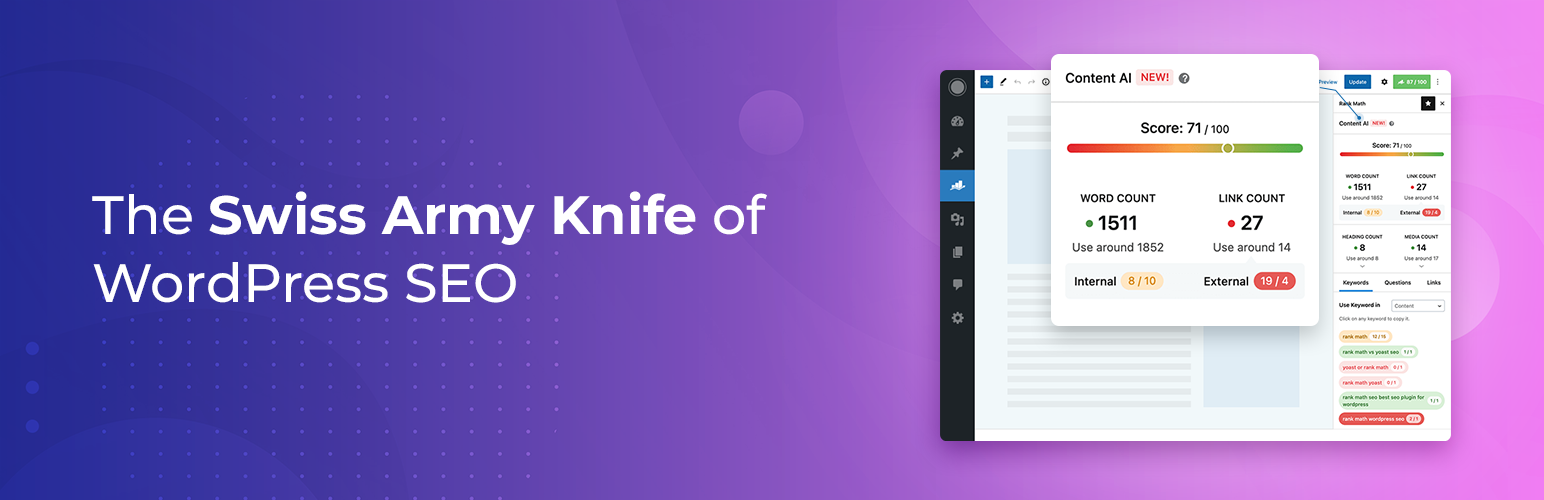
Rank Math is one of the best all-in-one SEO plugins for WordPress websites. It continues to dominate the SEO plugin space in 2026. It offers powerful features, a clean interface, and AI-powered tools.
Known as the “Swiss Army Knife of SEO plugins,” it provides users with tools for on-page SEO.
It also supports schema implementation and analytics tracking. You can accomplish all these tasks within WordPress.
Features of Rank Math:
- Content AI for real-time keyword and readability suggestions
- Comes with AI Link Genius, which helps automatically add internal links and improve your site structure.
- Advanced schema generator (supporting 20+ types)
- Google Search Console and Analytics integration
- Local SEO and WooCommerce SEO modules
- 404 error monitor and redirection manager
- Internal linking suggestions
Pros
- AI-powered content optimization
- Lightweight and modular setup
- Comprehensive free version
- Strong documentation and support
Cons
- Advanced features have a learning curve
- Compatibility issues with niche themes or builders (rare)
Rank Math SEO Pricing:
- Free plan
- Pro plan: This plan starts at $7.99 per month. You can use the plugin on unlimited websites.
- Business plan:
- Agency plan
Rank Math is one of the most popular SEO plugins for WordPress, but proper setup and plan selection both matter. Follow this Rank Math settings guide to configure the plugin correctly, and read Rank Math Free vs Pro if you want to compare both versions before upgrading.
Ready to Elevate Your SEO Game?
Get advanced on-page SEO, AI content optimization, and deep analytics—all in one powerful plugin.
2. WP Rocket

Website speed is a major Google ranking factor. A fast-loading site not only improves your SEO. It also enhances the user experience and boosts conversion rates. That’s where WP Rocket stands out as the most powerful and beginner-friendly WordPress caching plugin.
WP Rocket isn’t just about caching. It’s a full-fledged performance optimization plugin that helps you boost Core Web Vitals. It also helps reduce Time to First Byte (TTFB). Additionally, it optimizes your site for better page speed scores on tools like Google PageSpeed Insights and GTmetrix. Whether you’re running a blog, WooCommerce store, or portfolio site, WP Rocket offers automatic speed optimization. You don’t need to touch a single line of code.
It’s widely regarded as an essential tool. It greatly improves technical SEO. This is especially true for WordPress users aiming to meet modern performance standards in 2026.
Features of WP Rocket Plugin:
- Automatically enables page caching as soon as the plugin is activated.
- Implements browser caching and GZIP compression to reduce bandwidth usage.
- Minifies and combines CSS and JavaScript files to reduce HTTP requests.
- Lazy loads images, iframes, and videos for faster perceived load time.
- Optimizes the database by cleaning post revisions, drafts, and transients.
- Offers preload options for cache, sitemap, and fonts to speed up indexing.
- Supports mobile caching and a separate cache for mobile visitors.
- Integrates with Cloudflare, Sucuri, and other CDN services.
- Delay JavaScript execution until user interaction for faster first paint.
- Compatible with multilingual and WooCommerce websites out of the box.
Pros
- Instantly improves Google PageSpeed and Lighthouse scores.
- Reduces bounce rate by speeding up load times across all pages.
- Works right after activation with minimal configuration needed.
- Helps meet Core Web Vitals metrics for better SEO rankings.
- Integrates with CDN and image optimization plugins for a full performance stack.
- Regularly updated and supported by a highly active development team.
Cons
- No free version—WP Rocket is a premium-only plugin.
- May conflict with certain hosting-level caching systems if not configured correctly.
- Requires careful testing when enabling advanced options like file minification.
- Lacks in-built image optimization (needs third-party integration).
- Beginners might be overwhelmed by some technical terms in the settings.
- The license is yearly—no lifetime access option is available.
Boost Your Site Speed & SEO with WP Rocket
Speed is SEO. WP Rocket makes your WordPress site load lightning fast. It improves Core Web Vitals and helps you rank higher in search engines. No coding needed. Just activate and go!
Related Reading: WP Rocket Review 2026 | WP Rocket settings for speed optimization
3. Site Kit by Google

Google Site Kit is an essential technical SEO plugin for WordPress that integrates Google’s ecosystem directly into your dashboard. In 2026, it remains the go-to tool for accessing data from Analytics. AdSense, PageSpeed Insights, and other services also utilize it. Users can do these tasks without writing a line of code.
Features of Sitekit by Google:
- One-click integration with Google Search Console, Analytics, AdSense, and PageSpeed Insights
- Simple dashboard view of traffic, performance, and earnings
- Supports multiple users with role-based access
- Seamless and automatic updates from Google
Pros
- 100% free and officially supported by Google
- Easy setup, even for non-tech users
- Live performance stats in WordPress
Cons
- Lacks keyword optimization or SEO suggestions
- Limited customization
- No GDPR-friendly settings out of the box
Connect Google Tools in One Click
Easily integrate Analytics, Search Console, AdSense & more—right inside your dashboard.
4. Internal Link Juicer
Internal linking is a crucial component of any effective WordPress SEO strategy. The Internal Link Juicer plugin makes it easier than ever to implement internal linking properly. This smart internal linking plugin automatically links relevant keywords in your content to target posts or pages. It follows the rules you define. This approach boosts your site structure, link equity distribution, and on-page SEO performance.
Manual linking is time-consuming and inconsistent. Internal Link Juicer ensures every piece of content on your WordPress site is interlinked contextually. This improves crawlability, dwell time, and semantic relevance across your blog or website. It’s an excellent solution for bloggers, affiliate marketers, and niche site owners. They can optimize internal links without breaking a sweat.
Features of Internal Link Juicer:
- It automatically links specific keywords to your chosen posts or pages.
- You can define rules for which keywords should trigger internal links.
- It supports anchor text variation to make your links look more natural.
- The plugin prevents over-optimization by setting link limits per post.
- You can exclude certain posts or categories from automatic linking.
- It offers dofollow and nofollow options for better SEO control.
- Detailed link reports help you monitor and refine your linking strategy.
- It works seamlessly with Gutenberg, Classic Editor, and most page builders.
Pro Tip: Use Internal Link Juicer to automatically insert contextual links to cornerstone content. This technique is great for SEO. It also enhances UX with minimal manual effort.
Pros
- It saves time by automating the internal linking process.
- The plugin improves your site’s SEO structure with smart linking.
- You can control where and how links appear using flexible settings.
- It helps reduce bounce rate by guiding users to related content.
- The anchor text variation makes the links look natural to search engines.
- It’s compatible with most themes and popular WordPress editors.
Cons
- Beginners may need time to understand and set up the rules properly.
- The free version has limited features compared to the premium one.
- Too many auto links on a page can affect readability if not configured well.
- You need to manually exclude content where links aren’t needed.
- Link tracking and reporting features are more detailed in the paid version.
- It doesn’t suggest keywords automatically—you must define them first.
Boost SEO with Smart Internal Linking
Automate internal links to improve structure and SEO performance.
5. Link Whisper
Link Whisper is a smart internal linking plugin built for WordPress site owners who want faster, cleaner on-page SEO without manually hunting for link opportunities in every post.
It scans your content, understands context, and then suggests relevant internal links that you can add with a click, helping you build a stronger site structure and improve rankings over time.
Beyond suggestions, it also finds orphan pages, reports weakly linked posts, and helps fix broken links so you keep your internal linking healthy as your content library grows.
For busy bloggers and affiliate marketers, it turns ongoing internal linking into a manageable, repeatable workflow.
If you want to see how this plugin actually works in real projects, check my Link Whisper Review 2026, where I share results from my own blogs and internal linking experiments.
For readers ready to buy, don’t forget to use my Link Whisper coupon code at checkout to instantly grab an exclusive discount on any plan.
Features of Internal Link Juicer:
- AI-powered link suggestions inside the editor: Suggests contextual internal links as you write or edit posts in the WordPress editor.
- Orphan page detection: Identifies posts and pages with few or no internal links so you can quickly fix them.
- Auto-linking from keywords: Lets you set target keywords and URLs, then auto-creates links from past and future mentions of those keywords.
- Bulk internal link insertion: Allows you to add multiple suggested links at once by checking boxes and saving, instead of editing each link manually.
- Detailed link reports: Shows internal/external links, broken links, and link counts per post so you can see gaps and errors in your structure.
- Multi-site and cross-site support: Higher plans support many sites and can even suggest links between connected sites in similar niches
Pros
- Saves a lot of time by automating internal link suggestions instead of manually searching posts.
- Helps improve SEO by creating a stronger internal link structure and reducing orphan content.
- Easy to use inside WordPress with in-editor suggestions, reports, and bulk linking options.
- Finds orphan posts and broken links so you can quickly fix issues without extra plugins.
- Generates generally relevant, contextual suggestions using AI, better than basic keyword rules.
- Clean code and permanent links, so existing internal links keep working even if you stop using the plugin.
Cons
- It is a paid plugin with no full-featured free version, so the cost can be high for small/new sites.
- Some AI suggestions can be irrelevant or noisy, so you must manually review them.
- Interface and options can feel complex at first, especially for beginners.
- Occasional bugs or inaccuracies in advanced functions mean it still needs improvements.
- Works best on larger sites with plenty of content; the benefit is limited on very small blogs.
- Requires basic SEO knowledge to choose good anchors and avoid over-optimization, so it is not fully “set and forget.”
Ready to Automate Your Internal Linking?
Ready to boost your internal linking and rankings with less effort? Grab Link Whisper today, apply your exclusive discount at checkout, and let AI handle the hard work while you focus on publishing great content.
Related Reading: On‑Page SEO Checklist 2026 | How to write SEO content that ranks
6. AIOSEO Plugin

All in One SEO, commonly known as AIOSEO, is one of the most established SEO plugins for WordPress. It is also one of the most widely used. Trusted by over 3 million websites, it provides a comprehensive toolkit for improving search visibility. It also enhances meta SEO and technical optimization without requiring complex setup or coding skills.
Whether you’re running a personal blog, business website, or WooCommerce store, AIOSEO simplifies the process. It helps implement best practices like XML sitemap creation and schema markup. It also aids with meta title and description optimization and social media integration. The plugin is ideal for both beginners and professionals looking to boost on-page SEO and automate technical SEO tasks efficiently.
AIOSEO stands out with its clean interface. It features a smart configuration wizard. Additionally, there are seamless integrations. These make it a great alternative to other bulky plugins in the market.
Features of AIOSEO:
- Smart setup wizard with automated SEO configuration based on site type.
- On-page SEO analyzer for optimizing meta titles, descriptions, and keywords.
- Advanced schema markup (JSON-LD) for articles, products, FAQs, reviews, and more.
- Rich snippet support to boost click-through rates in search results.
- XML sitemap and RSS sitemap generation with customizable settings.
- WooCommerce SEO module for product SEO and breadcrumb navigation.
- Robots.txt and .htaccess editor to control crawl access and site indexing.
- Social media integration for Open Graph, Twitter Cards, and Facebook previews.
- Built-in SEO audit checklist and real-time SEO score for every post/page.
- Redirection manager to fix broken links and manage 301 redirects.
Pros
- Easy to use, even for beginners, with step-by-step guidance.
- Covers all major aspects of technical and on-page SEO.
- Offers detailed schema markup options to improve rich results.
- Provides built-in SEO content analysis and live recommendations.
- Works well with WooCommerce, giving your product pages a ranking edge.
- Frequent updates and strong developer support keep the plugin reliable.
Cons
- Many powerful features are available only in the premium version.
- Some advanced settings may overwhelm first-time users.
- Limited integration with external keyword research tools.
- Schema customization is not as granular as in Rank Math Pro.
- Can cause minor performance lags on large sites without optimization.
- The pricing structure can be expensive for multi-site owners.
AIOSEO Pricing (2026 Update):
AIOSEO offers both a free version and multiple premium plans, billed annually:
- Basic – $49.60/year for 1 website
- Plus – $99.60/year for up to 3 websites
- Pro – $199.60/year for up to 10 websites (best for agencies & eCommerce)
- Elite – $299.60/year for unlimited websites
Each plan includes 1 year of updates and support, with access to different modules depending on the tier. AIOSEO also offers a 14-day money-back guarantee.
One Plugin for All Your SEO Needs
Customize your titles, sitemaps, and schema with AIOSEO’s powerful toolkit.
Related Reading
- Search Engine Optimization Guide for Beginners in 2026
- How to write a blog post? (Step-by-step guide for 2026)
7. SEO Writing Assistant by Semrush

Creating high-quality, SEO-friendly content is essential for ranking on Google. The SEO Writing Assistant by Semrush helps you achieve this goal. This smart content optimization plugin for WordPress offers real-time SEO recommendations as you write. It helps you meet keyword goals. It improves readability. It ensures your article is optimized for users and search engines.
Backed by Semrush’s robust keyword database and AI algorithms, the plugin ensures alignment with on-page SEO best practices. It covers keyword usage, tone of voice, readability level, and originality check for your blog posts or product pages.
Ideal for content creators, bloggers, agencies, and SEO teams, the Semrush SEO Writing Assistant plugin works inside the WordPress editor. It also functions within Google Docs. This makes it easy to write and optimize on the go.
Features of SEO Writing Assistant by Semrush:
- Real-time SEO suggestions based on your target keywords.
- Checks for optimal keyword density to prevent keyword stuffing.
- Analyzes readability score using the Flesch Reading Ease formula.
- Highlights recommended and related keywords to improve semantic SEO.
- Assesses tone of voice to ensure brand consistency and user engagement.
- Includes plagiarism checker to ensure 100% original content (Pro feature).
- Offers a readability and SEO score for each draft in the editor.
- Integrates with the WordPress Classic and Block (Gutenberg) Editors.
- Allows users to compare their content against the top 10 SERP results.
- Provides suggestions for improving sentence length, passive voice, and formatting.
Pros
- Helps create optimized, rank-worthy content with real-time guidance.
- Improves both SEO and readability—great for beginners and pros.
- Seamlessly integrates with WordPress for distraction-free editing.
- Uses data from Semrush’s powerful SEO plugins and keyword engine.
- Includes keyword suggestions based on semantic relevance.
- Excellent for teams and freelance writers who need to align with SEO standards.
Cons
- Requires a Semrush account—free version has limited functionality.
- The plagiarism checker is available only in the Guru plan or higher.
- Doesn’t handle technical SEO like sitemaps or redirects.
- Advanced features depend on your Semrush subscription tier.
- May slightly slow down the editor on lower-performance hosting.
- Not ideal for users looking for a full SEO suite—it focuses only on content.
SEO Writing Assistant Pricing (2026 Update):
The plugin is free to install, but requires a Semrush account to function.
- Free Plan – Basic keyword guidance and one SEO template
- Pro Plan – $129.95/month (includes more templates and limited plagiarism checks)
- Guru Plan – $249.95/month (includes advanced features and full plagiarism tool)
- Business Plan – $499.95/month (best for large teams or agencies)
Semrush includes the SEO Writing Assistant as part of its all-in-one suite. If you’re already a subscriber, you can use the plugin at no extra cost.
Write Content That Ranks
Use AI-powered recommendations to optimize SEO, readability, and structure.
Related Reading
- Semrush Review 2026: Is it worth buying the tool now?
- Semrush SEO Toolkit Review: Features, Pricing, Pros and Cons (Free Trial)
8. Elementor

Elementor is more than just a popular drag-and-drop page builder for WordPress. It is also an essential tool for designing SEO-optimized websites without touching code. With over 12 million active users, Elementor helps web designers, bloggers, and business owners. It allows them to build stunning, responsive pages. These pages are fast, clean, and compatible with modern technical SEO standards.
An often-overlooked benefit of using Elementor is its contribution to on-page SEO. It improves UX design, mobile responsiveness, clean HTML structure, and Core Web Vitals. Whether you’re designing custom landing pages, sales funnels, or blog layouts, Elementor gives you control over visual elements. It does this without sacrificing speed or SEO performance.
It has built-in integrations with SEO plugins like Rank Math, Yoast, and AIOSEO. It also offers native support for schema markup via widgets and templates. These features make it one of the best tools to design SEO-friendly WordPress websites in 2026.
Features of Elementor:
- Live drag-and-drop builder with real-time visual editing.
- SEO-friendly page structure with lightweight HTML output.
- Mobile responsive controls with breakpoints for different devices.
- Theme Builder to customize headers, footers, blog posts, and archives.
- Integration with major SEO plugins and schema support.
- Performance optimization tools like asset loading control and lazy loading.
- 100+ pre-designed templates optimized for UX and SEO.
- Customizable metadata fields via integrations with SEO plugins.
- Support for global fonts, colors, and layout for brand consistency.
- Compatible with WooCommerce, Lottie animations, and custom CSS.
Pros
- Helps create fast, mobile-friendly pages with optimized layouts.
- Fully integrates with all major WordPress SEO plugins.
- Clean HTML and lightweight markup improve crawlability and speed.
- Easy for non-coders to implement SEO best practices visually.
- Offers SEO-optimized templates for landing pages and blog posts.
- Advanced design control without affecting page load time when optimized.
Cons
- Some design-heavy pages can slow down load times if not optimized.
- Requires Elementor Pro for advanced features and templates.
- Overuse of animations and widgets may negatively impact Core Web Vitals.
- Learning curve for beginners with advanced design needs.
- May have conflicts with certain themes or plugins if not configured properly.
- The free version has limited layout flexibility compared to Pro.
Elementor Pricing (2026 Update):
- Free Plan: Includes basic page builder with essential widgets
- Essential Plan: $59/year for 1 website
- Advanced Plan: $99/year for 3 websites
- Expert Plan: $199/year for 25 websites
- Agency Plan: $399/year for 1,000 websites
Each premium plan includes Elementor Pro. It unlocks the Theme Builder and WooCommerce Builder. It also provides premium widgets, advanced motion effects, and marketing integrations.
Design SEO-Friendly Pages Visually
Create stunning, responsive pages that perform well in search engines.
Suggested links
- Elementor Review 2026: Is it a worthy Page builder plugin for WordPress?
- How to create a website with Elementor page builder?
- Elementor Pro Discount Code 2026 + 75% OFF on Elementor Hosting [Live Offer Update]
9. Yoast SEO
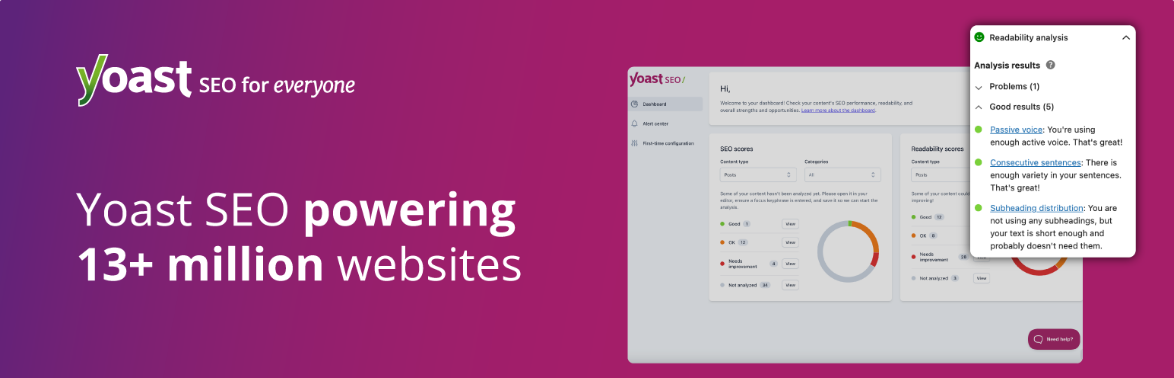
Yoast SEO is one of the most popular SEO plugins for WordPress. It is trusted by many users. The plugin helps over 13 million websites optimize their content for search engines.
Yoast is designed with both beginners and advanced users in mind. It makes on-page SEO, technical SEO, and content optimization incredibly simple. This is achieved through its intuitive interface and real-time analysis tools.
This plugin guides users to create better content using SEO-focused writing tips, meta tag customization, and readability analysis.
It also takes care of the technical side of SEO by generating XML sitemaps, setting canonical URLs, and adding schema.org structured data for better search visibility.
Whether you’re optimizing blog posts, product pages, or custom post types, Yoast SEO offers all the tools you need. These tools help you rank better in Google. They also ensure a great user experience.
Key Features of Yoast SEO:
- Real-time content analysis with keyword optimization suggestions.
- Built-in readability checker based on Flesch Reading Ease.
- Easy customization of SEO title, meta description, and slug.
- Automatically creates and submits XML sitemaps to search engines.
- Schema markup integration for better search appearance and rich results.
- Internal linking suggestions and orphaned content detection.
- Breadcrumbs support improved user navigation and crawlability.
- Canonical URL settings to avoid duplicate content issues.
- Social previews for Facebook and Twitter using Open Graph tags.
- Multilingual support and compatibility with major WordPress page builders.
Best Use Cases:
- Beginner bloggers
- News and content-heavy websites
- Sites needing basic SEO structure and readability checks
Pros of Using Yoast SEO
- Beginner-friendly interface with color-coded SEO and readability scores.
- Offers strong guidance for keyword usage and content optimization.
- Automatically handles technical SEO elements like sitemaps and canonical URLs.
- Excellent support and documentation for all user levels.
- Integrates smoothly with popular themes and plugins.
- Helps structure content for rich snippets and schema-based visibility.
Cons of Yoast SEO Plugin:
- The free version is limited—most advanced features require the premium version.
- Can be slightly heavy on server resources if not configured correctly.
- Redirect manager and internal link blocks are only available in the premium plan.
- Content analysis is basic compared to AI-powered plugins.
- Schema output isn’t as customizable as in Rank Math or SEOPress.
- Frequent notifications and upsell messages may annoy some users.
Yoast SEO Pricing (2026 Update):
Yoast SEO offers both a robust free version and several premium options:
- Yoast SEO Free: $0/year
- Yoast SEO Premium: $118.80/year
All premium plans include 1 year of updates and support, with a 30-day money-back guarantee.
👉 Download Yoast SEO and start optimizing your content the smart and structured way.
10. The SEO Framework

If you’re looking for a fast SEO plugin for WordPress, The SEO Framework (TSF) is an excellent choice. It is no-nonsense and respects privacy. This plugin is fast. It respects privacy.
It offers no-nonsense features. This plugin is designed to be lightweight, automated, and bloat-free. It offers a clean interface and focuses on technical SEO essentials. It does this without unnecessary ads or upsells.
TSF is ideal for developers, bloggers, and privacy-conscious site owners who want a hands-off SEO solution. It automatically handles critical SEO tasks like meta tag generation, canonical URLs, structured data, and sitemap creation.
Its design ensures that your site stays fast and efficient, helping improve your Core Web Vitals and Google rankings.
Unlike bulky SEO plugins, TSF integrates seamlessly into the WordPress dashboard and plays well with most themes and plugins. It’s built with performance and precision in mind—perfect for those who value speed, simplicity, and smart automation.
Key Features of The SEO Framework Plugin
- Auto-generates SEO meta titles and descriptions with logic-based rules.
- Supports structured data and schema.org markup for rich search results.
- Built-in sitemap generation for better indexing and crawlability.
- Enables canonical URL and redirects to prevent duplicate content issues.
- Priority settings to guide search engines to important content.
- Breadcrumbs support better navigation and internal structure.
- Color-coded SEO indicators for quick optimization feedback.
- Privacy-first design—no tracking, ads, or data collection.
- Supports multilingual SEO via WPML and Polylang.
- Modular extension system for social meta, AMP, focus keywords, and more.
Best Use Cases:
- Minimalist sites and portfolios
- Developers or speed-focused users
- GDPR-compliant websites
Pros of The SEO Framework
- Extremely fast and lightweight—perfect for performance-focused websites.
- Ad-free and completely privacy-respecting with no user tracking.
- Fully automated SEO setup—great for set-it-and-forget-it use.
- Built-in schema and Open Graph support for better search previews.
- No upsells or distractions in the WordPress dashboard.
- Ideal for developers and advanced users who want granular control.
Cons of The SEO Framework
- The interface may feel too minimal for beginners used to Yoast or Rank Math.
- No content analysis or readability scoring in the free version.
- Lacks built-in keyword suggestions or AI features.
- Requires extensions (some paid) for social meta and advanced schema.
- Limited onboarding guidance for non-technical users.
- Fewer integrations compared to more commercial SEO plugins.
The SEO Framework Pricing (2026)
The base version of The SEO Framework is 100% free and available on the WordPress.org repository. For more advanced features, premium plans are available:
- Free Plan – $0/year (basic automation and SEO essentials)
- Pro Plan – $7/month (billed yearly) – Includes 2 sites, focus keywords, and all official extensions
- Business Plan – $17/month – Up to 20 sites, advanced schema, redirects, local SEO, etc.
- Agency Plan – $27/month – Up to 200 sites, priority support, all features
All plans come with a 30-day refund policy and access to SEO automation tools without bloat.
👉 Get The SEO Framework to enjoy a fast, clean, and effective SEO experience built for performance and privacy.
11. Schema – All In One Schema Rich Snippets

Schema – All In One Schema Rich Snippets by Brainstorm Force is a simple schema markup plugin. It is powerful for WordPress. It helps you implement structured data effortlessly.
This enables rich snippets like star ratings, reviews, recipes, events, products, software, and video previews directly in search results.
This boosts your click-through rate, enhances visual appeal in SERPs, and supports social media sharing previews.
Key Features:
- Enables schema types like Review, Event, Recipe, Product, Article, Video, Software App, and People.
- Easy-to-use meta box under the post editor—no coding required
- Displays star ratings, author names, dates, images, and price in rich snippets.
- Improves CTR by making your content stand out in Google, Bing, Yahoo, and social media feeds.
- Automatically adds Facebook Open Graph metadata for better sharing.
- Gutenberg-friendly and works within Classic Editor and most page builders.
- Regularly updated—tested recently on WordPress 6.8.1.
- Lightweight and focused plugin with minimal performance impact.
- Transparent open‑source code with GitHub contributions.
- Roadmap includes future support for Breadcrumbs, LocalBusiness, and Book schemas
Best Use Cases:
- Review blogs
- Local business listings
- Recipe and product pages
Pros:
- Easy to install and set up—adds structured data without coding.
- Supports a wide range of schema types covering most content formats.
- Enhances SERP visibility with visually-rich snippets.
- Lightweight plugin—no bloat or unnecessary features.
- Works well with SEO plugins and page builders.
- Completely free and open-source—no premium upsells.
Cons:
- Uses older microdata/RDFa format—not JSON‑LD by default.
- Lacks advanced schema options like Local Business and Breadcrumbs unless updated.
- Basic interface—no bulk schema settings or global defaults.
- No auto-detection of content types—you must manually select the schema per post.
- No built-in validation tool—must rely on Google’s Rich Results Test.
- Limited support—relies largely on community forums.
Pricing:
- Free: It is available on the WordPress plugins repository
- Annual: It costs $68 for unlimited usage
- Lifetime: $229 with one single payment
12. Smush Image Optimization

A fast-loading website significantly improves SEO performance. Smush excels at optimizing your images to boost both page speed and Core Web Vitals. This popular WordPress plugin smartly compresses and resizes your media library.
It enables lossless and lossy compression, lazy loading, and modern WebP conversion. These features make it one of the top tools for image optimization and SEO enhancement.
You can use this guide, “image optimization guide for WordPress,” to optimize your images as per SEO.
Key Features:
- Lossless compression reduces image size without noticeable quality loss.
- Bulk optimize your entire media library with one click.
- Auto-compresses new images on upload to streamline workflow.
- Supports lazy loading to improve initial page load times.
- Free version handles JPEG, PNG, and GIF formats automatically.
- Smush Pro adds Super-Smush compression for higher reduction rates.
- Converts images to WebP for faster delivery in modern browsers.
- Includes CDN integration for faster global image delivery.
- Optimizes even files stored outside the media library.
- Retains original files with backup options before compression.
Best Use Cases:
- Media-heavy blogs
- Online stores with lots of product photos
- Sites aiming to pass Google’s Core Web Vitals
Pros:
- Automatically optimizes images for faster page speed.
- User-friendly with bulk processing—no coding required.
- Supports modern formats like WebP and offers CDN support in Pro.
- Provides backup of original files so you can undo changes if needed.
- Works across multisite networks with centralized settings.
- Free core plugin offers essential optimization features—no cost.
Cons:
- Significant compression features like Super-Smush are only in Pro.
- Pro pricing can be high relative to simpler image plugins.
- Can add processing overhead—use auto or scheduled optimization.
- WebP conversion is available only in the Pro version.
- Some users report compatibility issues with certain themes/plugins.
- UI for advanced features may overwhelm beginners.
Smush Pro Pricing (2026)
- Basic – $18/year for 1-site license
- Standard – $30/year for 3-site license
- Plus – $60/year for 10-site license
- Premium – $1200/year for Unlimited sites
Smush Pro is part of the WPMU DEV membership plans. These plans start from $36/year for one site. They include full support and updates.
👉 Get Smush Pro to supercharge your site speed. It helps improve Core Web Vitals. You can optimize images at scale with powerful compression tools.
13. EWWW Image Optimizer

EWWW Image Optimizer (EWWW IO) is a versatile image optimization plugin for WordPress. It significantly enhances your site’s page speed. It also improves Core Web Vitals and overall performance optimization.
It offers both server-side (local) and cloud-based compression. It seamlessly shrinks images and generates WebP and AVIF formats. It also auto-scales visuals—without degrading quality.
Over a million users trust EWWW IO. It helps reduce page weights and cut bandwidth costs. It also improves user experience and SEO rankings.
Key Features:
- Automatically compresses new uploads and retroactively optimizes existing images.
- Supports lossless compression (JPEG, PNG, GIF) entirely on your server—no external API needed.
- Converts images into WebP and AVIF formats to reduce file size and improve speed.
- Includes bulk optimization tool for mass processing across entire sites.
- Offers optional cloud-based compression (Compress API) for deeper lossy optimizations.
- Includes auto-scaling/resizing to fit images perfectly for device-specific display.
- Enables lazy loading and placeholder support to improve perceived load times.
- Maintains backups of original images for 30 days to allow easy reversions.
- Supports CDN integration (Easy IO) for global image delivery with advanced caching.
- Includes JS/CSS minification and page caching features to boost overall site performance.
Best Use Cases:
- Speed-conscious bloggers
- WooCommerce sites with large image libraries
- Users who want to optimize without API keys
Pros:
- Handles both new and existing media with fully automated optimization.
- Supports modern formats like WebP/AVIF to enhance Core Web Vitals and SEO score.
- Avoids third-party APIs with local compression—faster and more private.
- Bulk optimization saves time and reduces manual work.
- CDN support via Easy IO ensures fast delivery across geographies.
- Free users receive reliable email support and full feature access.
Cons:
- Bulk image processing may strain server resources on smaller hosting plans.
- Lossy compression and CDN require paid API access.
- Advanced caching/minification tools demand careful configuration.
- Can be overwhelming to beginners, given its many optimization options.
- Some hosts restrict local compression tools (e.g,. cwebp, jpegtran).
- No live chat support—premium users get prioritized email support only.
EWWW Image Optimizer Pricing
- Free – Includes local optimization, auto-scaling, WebP conversion, and lazy loading
- Standard: $8/month for unlimited CNN, sites, 50 GB bandwidth
- Growth: $16/month – 200GB bandwidth along with standard features
- Infinite: $32/month – 400 GB bandwidth, along with Growth features
Pro Tip: Pair WP Rocket with EWWW Image Optimizer for faster page loads and higher Core Web Vitals scores.
👉 Get EWWW Image Optimizer to enhance image performance. It reduces file sizes and improves SEO and page speed. You retain full control over optimization.
14. WP Statistics

WP Statistics is a powerful privacy-first analytics plugin for WordPress. It delivers self-hosted data insights without relying on Google Analytics or external services. It keeps all visitor data stored locally in your database, offering cookie-free tracking, GDPR/CCPA/PECR compliance, and full data ownership—ideal for bloggers, businesses, and multilingual sites focused on user privacy and site performance
Key Features:
- Provides a central analytics dashboard integrated directly into WordPress.
- Tracks visits, page views, referrers, search terms, geolocation, and browser/device data.
- Includes real-time visitor count and historical trend reporting (daily, weekly, monthly).
- Enables content and category performance monitoring (word count, author stats).
- Offers customizable email report scheduling (daily, weekly, monthly).
- Tracks URL parameters (UTMs), outbound links, and file downloads via add-ons.
- Uses cookie-less tracking and IP hashing with daily salts for privacy.
- GDPR/CCPA/PECR compliance tools, export/delete user data, Do Not Track respect.
- Multisite support and customizable user permissions for data access.
- Offers lightweight performance and no reliance on third-party services.
Best Use Cases:
- Website owners who avoid Google tracking
- Privacy-focused blogs and businesses
- Users needing quick traffic snapshots
Pros:
- Fully self-hosted, giving you complete control over analytics data.
- No cookies needed—no GDPR banners required.
- Easy installation—no technical skill required.
- Offers real-time insights alongside historical performance tracking.
- Tracks content performance by author, category, and word count.
- Extensive privacy compliance tools are built in by default.
Cons:
- Advanced features—like link tracking—require paid add-ons or Premium.
- Bulk tracking can increase database size and may slow down low-end hosting.
- Interface is functional but lacks the polish of premium analytics dashboards.
- Support relies mainly on community forums unless you’re a Premium user.
- Setup can feel overwhelming due to the number of settings and options.
- No native integration with Google Analytics or external reporting platforms.
Pricing:
- Free: The free plugin is available on the WordPress plugin repository
- Single Site – $119/year for 1 site license
- Up to 5 Sites – $249/year for 5 site license
- Unlimited – $449/year for unlimited site license
All premium options come with a 14-day money-back guarantee and full access to all add-ons and updates.
👉 Get WP Statistics for a privacy-focused analytics solution that keeps your data local, compliant, and under your control.
15. SEOPress
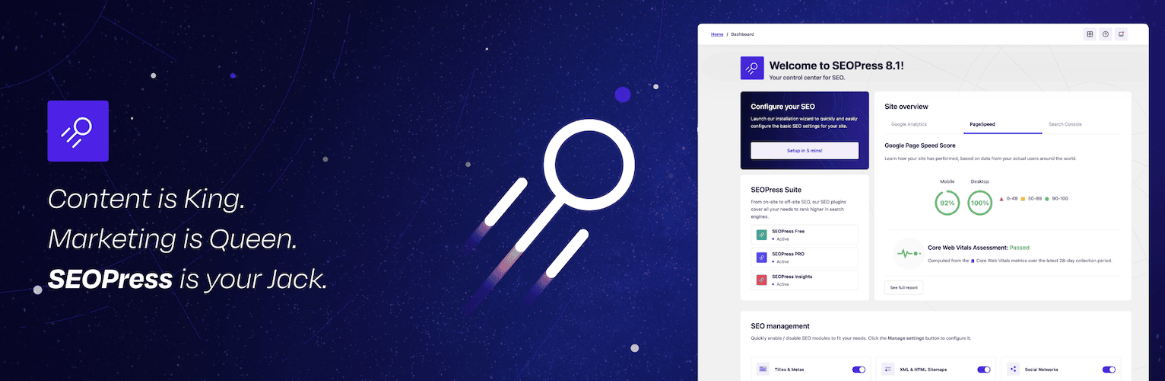
SEOPress is a fast, ad‑free, and fully white‑label SEO plugin for WordPress. It delivers a full suite of tools, including Meta optimization, sitemaps, schema, local SEO, and WooCommerce support. It accomplishes all of this without draining site performance.
Supporting over 350,000 WordPress sites, it combines intuitive design with advanced capabilities. These include content analysis, AI-powered metadata, and redirect management. This combination makes it an optimal choice for agencies, developers, and performance-conscious users.
Key Features:
- Titles & Metas editing with Google preview and dynamic variables
- Content Analysis with unlimited keywords and real-time SEO suggestions
- XML & HTML sitemaps, including image, video, news, and author sitemaps
- Structured data support (FAQ, HowTo, Product, LocalBusiness, Video, etc.) with JSON‑LD markup
- Redirect manager (301, 302, 307) and 404 monitoring for error handling
- Local SEO & WooCommerce SEO modules—business schema, breadcrumbs, shop optimization
- AI metadata generator using GPT‑4(AI) to auto‑create titles, metas, alt‑texts
- Google Analytics / Matomo integration and dashboard insights
- White-label support—rebrand in admin, hide plugin signature
- CSV import/export, WP‑CLI support, and multilingual compatibility
Best Use Cases:
- SEO agencies and freelancers
- Sites looking to migrate from Yoast or AIOSEO
- Multi-site WordPress installs
Pros:
- Lightweight plugin with no ads—won’t slow down your site
- Full feature set without needing add-ons—great value
- Intuitive interface and first‑time setup wizard
- Advanced schema support and local/WooCommerce SEO modules
- AI-powered metadata saves time and improves SEO consistency
- Ideal for agencies: unlimited white-label installations
Cons:
- Free version lacks redirects, schema, and analytics features
- AI metadata needs an OpenAI API key to function
- Redirection and 404 tools are only in Pro — no management in Free
- Some settings may overwhelm beginners unfamiliar with SEO
- White-label and CSV import/export features require Pro
- Occasional breaking changes require careful version management
SEOPress Pricing
- Free – $0 with core SEO, content analysis, sitemaps, metadata control
- Pro (5 sites) – $49/year (ex VAT), adds schemas, redirection, analytics, local/WooCommerce SEO, and AI metadata
- Pro Unlimited – $149/year for unlimited sites, same rich features
All plans include 1 year of updates and premium email support, with a 14-day money-back guarantee on Pro licenses.
👉 Get SEOPress Pro and access a high-performance, white-label SEO toolkit designed for long-term growth.
16. Squirrly SEO

Squirrly SEO is a powerful, AI-driven WordPress SEO plugin and cloud platform. It delivers guidance across the entire SEO funnel—from keyword research and site audits to live content optimization and ranking tracking.
With 650+ features, it offers real-time, actionable suggestions. These help improve content quality, on-page SEO, site performance, and user engagement. It achieves all this without slowing down your website.
Key Features:
- Real-time SEO Live Assistant offers live feedback as you write inside Classic, Gutenberg, Elementor, Divi, Brizy, and other editors
- AI-powered Keyword Research delivers volume, difficulty, and long-tail suggestions
- SEO Audits analyze pages on 50+ ranking factors and generate prioritized tasks
- Focus Pages allow you to assign pages to track with structured goals and progress monitoring plugin.
- SERP Rank Tracking displays daily keyword positions and trends within WordPress
- Content Briefcase stores keyword sets and pastes them into drafts with proper keyword usage tracking
- Built-in site-wide XML sitemap and schema markup feed Google structured data automatically
- WooCommerce page optimization, including copywriting guidance and product meta
- Weekly SEO performance reports and email audits that show site rankings, traffic, and authority plugin.
- Smooth integration with other SEO plugins (Yoast, Rank Math), plus sitemap, analytics, and webmaster tools setup
Best Use Cases:
- New bloggers
- Business owners managing SEO themselves
- Users needing AI-powered suggestions
Pros:
- Offers an end-to-end SEO strategy—AI-guided across content, technical, and UX factors.
- Real-time writing helps with live content feedback ensures optimized content at publication
- Holistic auditing of 50+ signals helps catch technical issues and content gaps
- Includes keyword research and SERP tracking—no need for separate tools
- WooCommerce compatibility offers SEO insights for product pages.
- Non-disruptive performance—lightweight plugin with cloud processing keeps your site fast
Cons:
- Steeper learning curve with many features compared to simpler SEO plugins
- API/server timeouts sometimes occur during keyword or audit processes
- Core functionality requires Sa quirrly cloud account after plugin installation
- Free plan limits to one Focus Page and minimal keyword credits
- Some UI elements feel overwhelming or cluttered for beginners.
- Higher-value plans may be more expensive compared to single-purpose plugins.
Squirrly SEO Pricing (2026)
- Free – $0/month, 1 Focus Page, 5 monthly AI keyword suggestions, weekly audit.
- Pro – $9.99/month (or ~$119/year), up to 5 sites, 25 Focus Pages, 50 keyword AI searches, 100 audit pages
- Business – $71.99/month (~$863/year), 7 sites, 70 Focus Pages, 300 keyword searches, full audit suite
- Web Dev Kit – $51.20/month (~agency plan), supports 10 sites, advanced developer tools
All paid plans include AI-powered SEO assistance, priority support, and scalable site licenses.
👉 Get Squirrly SEO for a robust, intelligent SEO platform. It grows with your site’s ambitions. It also guides every step with data-driven insights.
How to Install and Set Up an SEO Plugin in WordPress
Adding an SEO plugin to your WordPress website is the first step toward better rankings. It also helps achieve optimized content and improved visibility in search engines. Fortunately, WordPress makes it incredibly easy to install plugins—even for beginners.
There are two main ways to do this. You can use the plugin upload method, which is ideal for premium plugins. Alternatively, you can use the WordPress dashboard search method for free plugins.
Use only one core SEO plugin (like Rank Math, Yoast, or SEOPress) at a time. This prevents feature conflicts. It also avoids duplicate meta tags.
Before installation, always back up your WordPress site to avoid data loss in case of compatibility issues.
A. Installing an SEO Plugin via Plugin Upload (ZIP Method)
This method is primarily used when you buy a premium SEO plugin. Examples include Rank Math Pro, SEOPress Pro, or WP Rocket.
Steps:
- Download the plugin ZIP file from the official website after purchase.
- Log in to your WordPress dashboard.
- Navigate to Plugins > Add New.
- Click the “Upload Plugin” button at the top.
- Choose the .zip file and click “Install Now”.
- Once installed, click “Activate Plugin”.
- Configure the plugin settings via its dedicated menu in the dashboard sidebar.
B. Installing an SEO Plugin from the WordPress Plugin Directory
If you’re opting for a free SEO plugin for WordPress, there are several options available. Some popular choices are Yoast SEO, All in One SEO, or The SEO Framework. You can easily install any of these directly from your dashboard.
Steps:
- Go to Plugins > Add New.
- In the search bar, type the name of the plugin (e.g., “Yoast SEO”).
- Click “Install Now” next to the plugin.
- Click “Activate” once the installation is complete.
- Access and configure the plugin settings under its menu in the dashboard.
Key Criteria for Choosing the Best WordPress SEO Plugin
With dozens of plugins claiming to improve SEO, selecting the best WordPress SEO plugin for your website requires thoughtful evaluation. The right plugin should offer a blend of powerful features. It should be easy to use. It must integrate seamlessly with your existing tools and workflow.
Here are the key criteria to consider before installing or purchasing an SEO plugin in 2026:
1. Ease of Use and User Interface
A good SEO plugin should have a clean, intuitive dashboard. It must allow beginners and non-technical users to optimize their websites easily. This should happen without any confusion. Whether you’re setting up meta titles, adding a sitemap, or analyzing content readability, the process should be guided and user-friendly.
Recommended Plugins: Yoast SEO, Rank Math, SEOPress
Pro Tip: Premium SEO plugins often include setup wizards. These wizards guide you through sitemap creation, meta tags, and schema. They also help with integration with tools like Google Search Console.
2. Integration with Google Analytics and Search Console
Real-time data is essential for tracking SEO success. Choose a plugin that connects effortlessly with Google Analytics. It should also integrate with Search Console and PageSpeed Insights to monitor performance. This helps fix crawl errors and improve page experience metrics.
Recommended Plugins: Google Site Kit, MonsterInsights, Ahrefs SEO Plugin
Connect Google Search Console and Analytics through Google Site Kit to monitor organic traffic, queries, and CTR without leaving WordPress.
3. Rich Snippets and Schema Support
To improve click-through rates in search results, your plugin should support schema markup (structured data) for various types of content. These include articles, products, reviews, recipes, and events. This is especially important in 2026, as rich snippets continue to dominate the SERPs.
Recommended Plugins: Rank Math, All-in-One Schema Rich Snippets, WP Review Plugin
Enable schema markup for posts, products, and reviews. This allows them to qualify for rich snippets in Google. Rank Math and WP Review do this exceptionally well.
4. Keyword and Content Optimization Features
Advanced SEO plugins offer real-time content analysis. They provide focus keyword suggestions and readability checks to ensure your pages are fully optimized before publishing. Some also integrate with AI to recommend semantic keywords and content structure improvements.
Recommended Plugins: SEO Writing Assistant, Squirrly SEO, Rank Math Content AI
Use SEO Writing Assistant while drafting content to optimize for keywords, readability, and tone—especially effective for long-form blog posts.
5. Speed Optimization Capabilities
Page speed is a confirmed ranking factor. A great WordPress SEO plugin should work harmoniously with speed-enhancing tools. It might even offer built-in optimization features like lazy loading, caching, and image compression. These features improve Core Web Vitals and reduce bounce rates.
Recommended Plugins: WP Rocket, Smush, EWWW Image Optimizer
Pair WP Rocket with an image optimizer. Use tools like Smush or EWWW. This will help achieve the best Core Web Vitals scores and faster mobile load times.
6. Compatibility with Your Theme and Plugins
Poor compatibility can break your site or lead to plugin conflicts. Before installing an SEO plugin, verify it’s tested with your WordPress version. Ensure it is also tested with your theme. Check other installed tools like Elementor, WooCommerce, or caching plugins.
Recommended Plugins: SEOPress, The SEO Framework, Yoast SEO
7. Frequency of Updates and Support Quality
SEO is dynamic. Google’s algorithm updates can impact your rankings overnight. That’s why you need a plugin that is actively maintained, well-documented, and supported by a responsive development team or community.
Recommended Plugins: Rank Math, Yoast SEO, Squirrly SEO, SEOPress
Schedule weekly SEO audits. Use Squirrly or Ahrefs SEO Plugin to track content performance. Discover declining pages before rankings drop.
Choosing the right plugin isn’t just about features. It’s about how well the tool fits your SEO goals. It also depends on your technical comfort level and business size. If you’re building a niche blog, begin with a plugin that meets these core criteria.
Optimize a portfolio with the right plugin. Manage multiple client websites effectively by starting with the appropriate plugin.
Frequently Asked Questions (FAQs) | Best SEO Plugins for WordPress
What is the best SEO plugin for WordPress in 2026?
Rank Math SEO is one of the best SEO plugins for WordPress in 2026. It offers a complete solution for on-page SEO, schema, and keyword tracking. The plugin provides many features in both free and pro versions.
Which SEO plugin helps improve site speed?
WP Rocket is not an SEO plugin by definition. It is a must-have for improving site speed, Core Web Vitals, and overall SEO performance.
Can I use multiple SEO plugins on my WordPress site?
It’s not recommended. Use only one core SEO plugin (like Rank Math, Yoast, or SEOPress) to avoid conflicts and duplicate meta tags.
What plugin should I use for local SEO on WordPress?
AIOSEO, Rank Math, and SEOPress Pro offer built-in local SEO modules with business schema, Google Maps, and location settings.
How do I add schema to my WordPress blog?
Use plugins like Rank Math, WP Review, or SEOPress to automatically insert structured data like FAQ, Review, and HowTo schema.
What’s better—Rank Math or Yoast?
Rank Math offers more features in the free version compared to Yoast, including keyword tracking, schema, and internal linking. Both are great, but Rank Math is more beginner-friendly and versatile.
How do I track my Google rankings in WordPress?
Use plugins like Rank Math Pro or Squirrly SEO to monitor keyword positions directly from your WordPress dashboard.
Which plugin improves Core Web Vitals for WordPress?
WP Rocket is the best plugin to improve Core Web Vitals by handling caching, lazy loading, CSS/JS optimization, and more.
What plugin adds FAQ schema to WordPress?
Rank Math, Yoast, SEOPress, and WP Review can add FAQ schema blocks to your content. This enhances visibility in search results.
How can I boost SEO for WooCommerce products?
Use AIOSEO or SEOPress for WooCommerce SEO, along with Smush or EWWW Image Optimizer to improve product image performance.
Which WordPress plugin shows broken links?
The Broken Link Checker plugin scans your site and alerts you about broken internal and external links.
Do I need a sitemap plugin if I use Rank Math?
No, Rank Math generates an XML sitemap automatically, so you don’t need a separate plugin for that.
What’s the easiest way to set up Google Analytics in WordPress?
Use Google Site Kit or MonsterInsights to connect your site with Google Analytics and view traffic reports inside WordPress.
Is WP Rocket worth it for SEO?
Yes, WP Rocket is worth it—it improves page load times, which is a key factor in SEO and user experience.
How do I get rich snippets in Google using WordPress?
Use plugins like WP Review, Rank Math, or SEOPress to add structured data. This data helps your pages appear with rich results in Google.
Final Words on the Best WordPress SEO Plugins in 2026
Choosing the right WordPress SEO plugin is crucial for any website owner. It helps improve visibility, traffic, and search engine rankings. The SEO landscape has become more complex as we move through 2026.
It has also become more powerful. This change is due to the growing availability of AI-driven, content-aware, and speed-focused tools.
This guide has covered the best SEO plugins for WordPress. They range from beginner-friendly solutions to expert-level platforms. These platforms are designed for SEO agencies, eCommerce stores, and digital marketers.
Use Case
Recommended Plugins & Purpose
For Beginners and Content Creators
- Yoast SEO: Simple setup and real-time SEO guidance
- Google Site Kit: Connects all Google services in one place
- Squirrly SEO: AI-powered SEO with step-by-step coaching
- Easy Table of Contents: Improves UX and SEO structure for blogs
For Bloggers and Affiliate Marketers
- Rank Math SEO: Complete on-page and technical SEO solution
- SEO Writing Assistant (Semrush): Optimizes content before publishing
- Internal Link Juicer: Automates strategic internal linking
- WP Review Plugin: Adds schema-rich ratings and reviews
For WooCommerce and Business Websites
- All-in-One SEO (AIOSEO): WooCommerce-ready with rich schema
- WP Rocket: Boosts Core Web Vitals and speed
- Smush / EWWW Optimizer – Optimizes product images –
- SEOPress: White-label solution with eCommerce support
For Agencies, Developers, and SEO Pros
- Ahrefs SEO Plugin – Content audits and backlink analysis
- The SEO Framework – Lightweight, privacy-focused SEO plugin
- SEOPress Pro – Unlimited site usage and white-label branding
- MonsterInsights – Advanced analytics and performance tracking
For Privacy-Focused / GDPR Sites
- WP Statistics: In-house data collection with no external tracking
- The SEO Framework: No ads, fast, and respects user privacy
- SEOPress: GDPR-compliant analytics and structured data
Whether your goal is to automate internal links or track keyword rankings, there’s a plugin perfectly suited to your needs. You can also find plugins to compress images or improve on-page optimization.
After optimizing your website with SEO plugins, selecting the right recruitment WordPress themes can further improve user experience and search engine visibility.
Don’t forget: SEO isn’t just about the plugin—it’s about how you use it. Follow best practices, optimize your content regularly, monitor performance with analytics, and stay updated with search engine algorithm changes.
Ready to Optimize Your WordPress Site?
Looking for the best WordPress SEO plugins to grow your traffic, improve your rankings, and speed up your site? Start with these expert-recommended tools:
- Rank Math SEO Plugin – A powerful all-in-one SEO plugin. It helps you optimize content and meta tags. You can also manage schema markup and technical SEO settings with ease. Ideal for beginners and pros alike.
- WP Rocket: Not just a caching plugin. WP Rocket is essential for improving your Core Web Vitals. It also enhances page speed. These are two crucial SEO ranking factors in 2026.
- SEO Writing Assistant by Semrush – Get real-time content optimization tips, readability analysis, and keyword guidance while writing inside WordPress. A must-have for bloggers and content creators.
- Link Whisper: Start optimizing your WordPress site from the inside out by using Link Whisper to build smart internal links, fix orphan pages, and strengthen your topical authority with AI‑powered suggestions—all while saving hours of manual linking work every month.
These tools work seamlessly together to elevate your on-page SEO, content quality, and website performance.



I personally think SEO isn’t as important as it used to be.. especially if one is using CMSs like WordPress, Drupal and others. These CMSs are baking SEO into their codes. The most important thing for webmasters is writing great content, implementing mobile friendly site and improving site speed.
Thanks,
Can I use wp super cache with wordfence security?
Yes you can use without any problem sir
Hi Satish Kumar,
Excellent article. Every pro-blogger use these plugin amazing list. Very helpful for new WordPress user and blogger. Great work keep up it.
Thank you